:quality(50))
What is Data Workflow Automation?
Data workflow automation uses software to orchestrate end-to-end data tasks so they run automatically, reliably, and at scale. Instead of manually running scripts or stitching together cron jobs, you define triggers, tasks, dependencies, and notifications. The platform handles every execution from there.
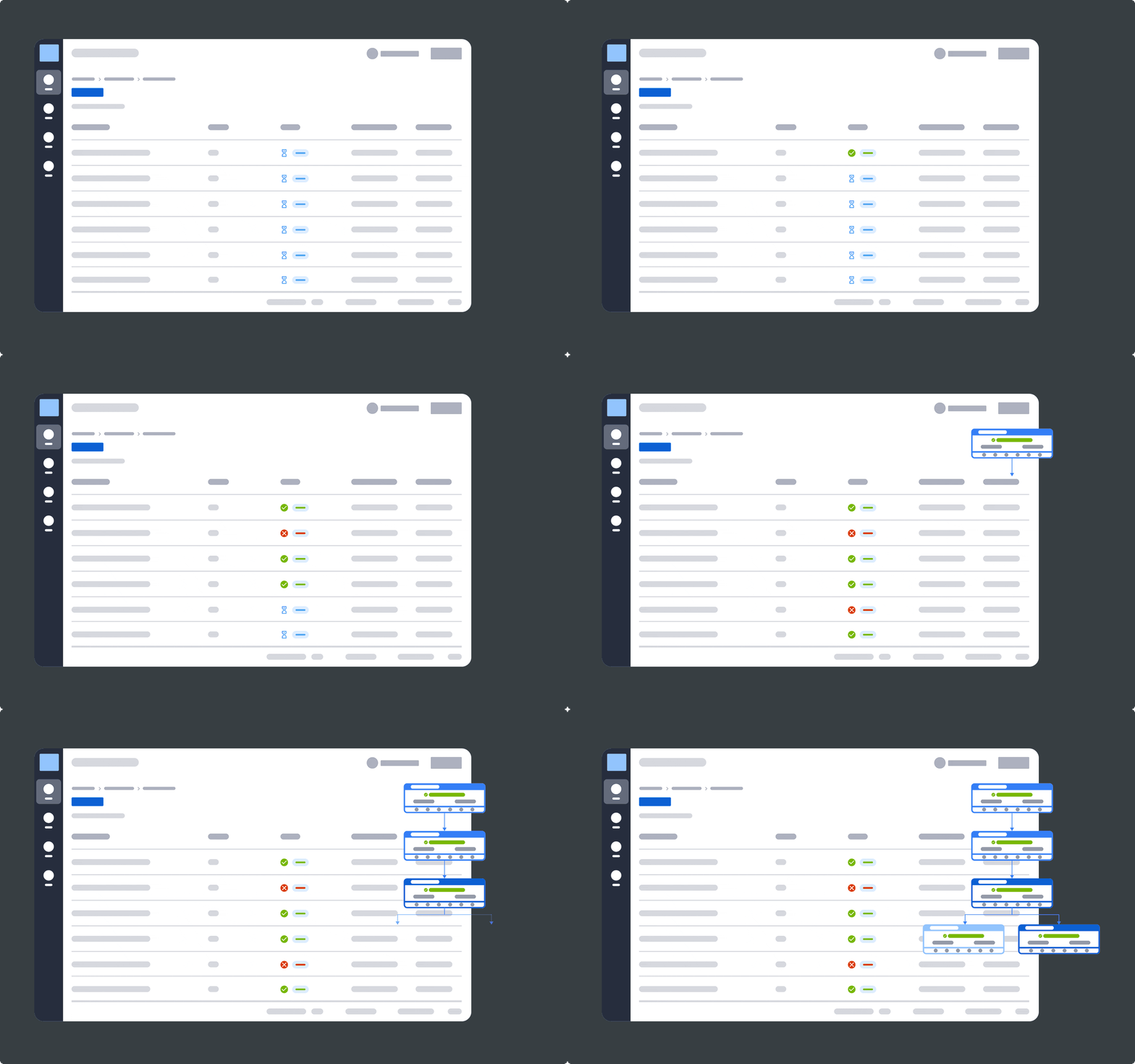
A basic automated data workflow looks like this:
Trigger: A new file lands in cloud storage or an API call fires.
Ingest: Data is pulled from the source system automatically.
Validate and Clean: Schema checks, null filters, and duplicate detection run without human intervention.
Transform: SQL transformations, enrichment, or machine learning pipelines execute in sequence.
Load and Notify: Processed data lands in your data warehouse or BI tool, with alerts sent on success or failure.
→ Read more: What is workload automation?
Why Data Workflow Automation Matters
Enterprises do not automate data workflows for convenience alone. The business case is measurable, and the operational impact is immediate.
In fact, automation has reached the C-suite, with 90% of executives considering it extremely or very important for achieving organizational goals, and 86% of business leaders now highly involved in driving these initiatives.
Here are the reasons it has become a strategic priority.
Error Elimination and Data Quality
Manual data entry and hand-coded scripts introduce errors that compound downstream. These can be corrupting reports, skewing analytics, and breaking machine learning pipelines.
Automation enforces consistent data validation rules at every step, reducing manual data errors significantly.
With built-in data quality checks and anomaly detection, issues are caught before they reach your data storage layer, not after.
Operational Efficiency and Time Savings
Automating repetitive data tasks can help employees reclaim a significant amount of time. For data engineering teams managing dozens of data pipelines across cloud environments, that compound saving is transformational.
Industry Stat
According to Gartner’s 2024 Magic Quadrant for Service Orchestration and Automation Platforms, the market is growing at pace as enterprises shift from siloed schedulers to unified orchestration platforms. Workload automation and observability are becoming inseparable requirements.
Compliance and Audit Readiness
Automated workflow management can help organizations level up their regulatory compliance readiness.
In regulated industries like banking, insurance, and pharma, automated logs, SLA dashboards, and audit trails are not optional.
European enterprises operating under DORA and similar frameworks increasingly rely on workload automation platforms to enforce and document compliance at scale, especially where IT operations are concerned.
Types of Data Workflow Automation
Data workflow automation cannot be defined within a single category. It spans multiple layers of the modern data stack.
Understanding the types helps organizations select the right tools for each layer.
Data Pipeline Automation
The most common form: automating the movement and transformation of data between systems. This covers:
ETL (extract, transform, load)
Data ingestion from APIs and databases
Delivery to cloud storage or data warehouses
Tools like Azure Data Factory and AWS Glue operate at this layer, while enterprise orchestration platforms manage scheduling, dependencies, and SLA monitoring across those pipelines.
Explore how data pipeline automation works across hybrid systems.
Event-Driven and Cloud Workflow Automation
Did you know that approximately 30% of workload automation jobs now run in the public cloud, with another 14% in hybrid environments?
Rather than running on fixed schedules, event-driven automation triggers workflows when something happens. This could be a file upload, an API response, a threshold breach, or a message on a queue.
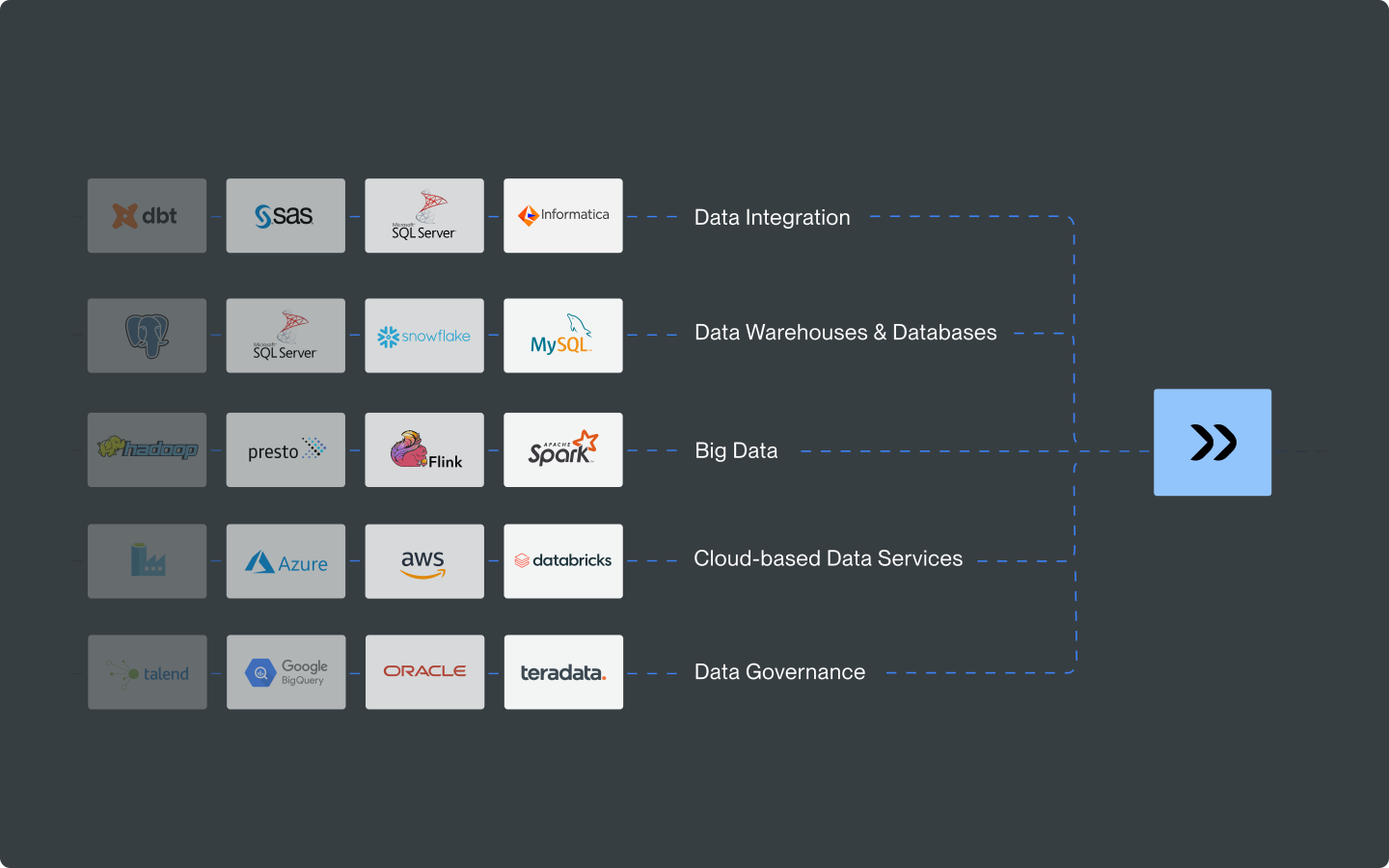
Cloud workflow automation extends this across cloud environments (Google Cloud, AWS, Azure), coordinating services like Cloud Run, Cloud Scheduler, and Secret Manager into coherent, observable data flows.
→ Read more: How event driven automation can maximize your efficiency
AI-Driven and Machine Learning Pipeline Automation
As AI adoption grows, so does the need to automate the workflows that feed AI models.
Machine learning pipelines (think: data ingestion, feature engineering, model training, and inference) require the same dependency management, SLA enforcement, and observability as traditional data processes.
AI-driven workflow automation adds a further dimension: intelligent anomaly detection, adaptive scheduling, and automated remediation that reduce manual intervention
Pro Tip
When evaluating automation tools for AI/ML workloads, look for native integrations with platforms like AWS SageMaker, Databricks, and BigQuery. Don’t limit the search to generic API support. Native connectors ensure consistent metadata, error propagation, and SLA visibility across the full machine learning pipeline.
Analytics and Transformation Workflow Automation
This layer focuses on automating data transformation and data analysis. That means turning raw, ingested data into structured, analytics-ready models.
Tools like dbt operate here, versioning SQL transformations and enforcing data quality through automated testing.
This is distinct from pipeline orchestration, though the two layers work together in a mature data stack.
→ Related: Kubernetes Scheduling for Workload Automation
Key Components of Data Workflow Automation

A robust automated data workflow system is built from several interconnected components. Each layer plays a distinct role in ensuring data moves reliably from source to destination.
Orchestration Engine
The core of any automation platform: the orchestration engine manages workflow dependencies, schedules execution, handles retries, and ensures jobs run in the correct sequence across distributed systems.
Native Integrations and Connectors
An automation platform is only as useful as its ability to connect to your existing data sources.
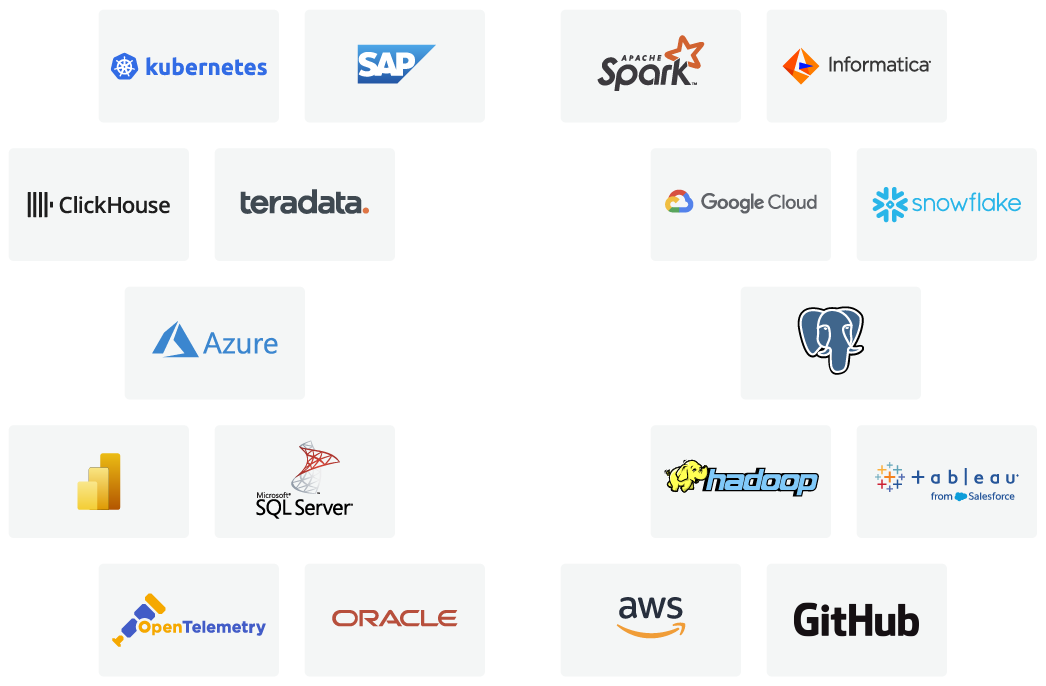
Native connectors for Snowflake, BigQuery, SQL Server, Azure Data Factory, dbt, Apache Airflow, and hundreds of other systems eliminate brittle custom scripts.
Beta Systems, for instance, offers 600+ out-of-the-box integrations across cloud, DevOps, ERP, ITSM, data tools, and broader data center automation tools used in hybrid enterprise environments.
Observability and Monitoring Layer
Automated workflows that run silently and invisibly are a risk, not an asset.
A built-in observability layer provides real-time visibility into pipeline health, SLA compliance, job execution status, and failure alerts.
Modern platforms embed OpenTelemetry-native observability, emitting metrics, logs, and traces that power AI-driven anomaly detection and automated remediation.
In an enterprise automation platform, this observability layer is tightly integrated with orchestration, ensuring full visibility across every workflow execution.
→ Read more about what observability means in modern IT operations for a bigger picture.
Data Quality and Validation
Automated validation rules, such as schema checks, null detection, duplicate record filtering, address verification, and data cleaning, run at ingestion and transformation stages.
This is where data quality moves from a manual audit to a continuous, automated process built into every pipeline run.
Popular Data Workflow Automation Tools
The data workflow automation landscape spans orchestration platforms, transformation tools, and cloud-native schedulers.
Here is an honest comparison of the three platforms most relevant to enterprise data teams in 2026.
ANOW! Automate

ANOW! Automate is a cloud-native workload automation and orchestration platform built for large enterprises managing complex, cross-platform data workflows.
It unifies workflow automation, observability, and AI-driven insights in a single platform, eliminating the need for multiple point tools.
Its key capabilities for workflow automation include:
600+ native integrations including Snowflake, BigQuery, Databricks, dbt, AWS Glue, AWS SageMaker, Azure Data Factory, and Apache Airflow
OpenTelemetry-native observability layer with real-time SLA monitoring and automated remediation
Event-driven architecture with dynamic workflow generation capable of producing hundreds of thousands of unique workflows from minimal definitions
Zero-downtime container-native architecture on Kubernetes for uninterrupted scaling
Transparent pricing with full data sovereignty
Smooth migration from legacy platforms including BMC Control-M, Broadcom AutoSys, and Redwood
See ANOW! Automate in Action
Explore how Beta Systems helps enterprises replace legacy workload automation platforms with a modern, cloud-native solution.
→ Explore the ANOW! Suite
Apache Airflow
Best for: Data engineering teams managing Python-based data pipeline orchestration
Apache Airflow is one of the most widely adopted open-source workflow orchestration frameworks, with a large ecosystem and strong community. It uses Python-defined DAGs (Directed Acyclic Graphs) to model pipeline dependencies, making it familiar to data engineers already working in Python.
Airflow genuinely excels for data engineering teams that need flexible, code-first pipeline authoring and have the engineering capacity to manage its infrastructure. However, as data platforms scale to enterprise size, Airflow’s operational complexity grows significantly:
Kubernetes management and scaling require dedicated DevOps effort
Limited built-in observability: third-party tooling required for production monitoring
No enterprise support tier or compliance guarantees for regulated industries
Platforms like ANOW! Automate fill the gap here by providing enterprise-grade orchestration above and around Airflow’s strengths, with native Airflow integration and full observability across the entire data pipeline landscape.
If your organization is currently running Airflow at scale and hitting its operational ceiling, check out Beta Systems’ Apache Airflow replacement guide.
dbt (data build tool)
Best for: Analytics and data transformation teams automating SQL-based data models
dbt has become the de facto standard for data transformation in the modern analytics stack. It empowers teams to write SQL transformations as versioned, testable code, turning raw data in cloud warehouses like Snowflake or BigQuery into clean, analytics-ready models with built-in data quality testing and documentation.
dbt operates at the transformation layer. It does not ingest data, manage cross-system dependencies, monitor SLAs, or orchestrate broader enterprise workflows. In a mature data platform, dbt sits within an orchestration layer, not above it.
ANOW! Automate integrates natively with dbt, meaning enterprises can use dbt for SQL-based transformation workflows while ANOW! handles upstream ingestion, dependency management, SLA enforcement, and end-to-end observability. Rather than competing, they are complementary layers in an enterprise data architecture.
Pro Tip
If your team already uses dbt for transformation, evaluate your orachestration layer separately. dbt handles ‘what happens to data’; an enterprise orchestration platform handles ‘when it happens, in what order, and what to do when it fails.’
How to Implement Data Workflow Automation
Implementation succeeds when it starts narrow and expands deliberately.
Most organizations that struggle with automation do so because they tried to automate everything at once.
Follow this phased approach instead.
Step 1: Audit and Map Your Current Data Processes
Before selecting any tool, map your existing data workflows. List every manual data task, estimate the time spent, identify failure points, and flag compliance-sensitive processes.
Prioritize by business impact: which pipeline failures cause SLA breaches, revenue risk, or regulatory exposure? Those are your automation candidates.
Document data sources, destinations, and transformation logic
Identify manual interventions and their frequency
Flag workflows with SLA requirements or audit obligations
Step 2: Select Your Automation Stack Deliberately
Match tools to layers.
A common mistake is selecting a single point tool (a scheduler or a transformation framework) and expecting it to handle orchestration, observability, and enterprise workflow management.
For most large enterprises, the right stack has three distinct layers:
Transformation layer: dbt (for SQL-based analytics workflows)
Pipeline layer: Native connectors to cloud services (Azure Data Factory, AWS Glue, BigQuery)
Orchestration layer: A unified workload automation platform that spans all of the above, enforces SLAs, and provides observability
→ Read more: On how to migrate without regret and future-proof your automation strategy
Step 3: Pilot, Measure, and Scale
Start with a high-impact, lower-complexity workflow such as:
Daily data ingestion
A reporting pipeline
A recurring batch job
Build the workflow, define success metrics (pipeline runtime, error rate, SLA adherence), and run for 4-6 weeks.
Use those results to build the internal business case for broader rollout. Most teams achieve full-scale deployment within 3–6 months of a successful pilot.
Best Practices for Data Workflow Automation
These practices separate teams that get sustained value from automation from those that continually fight their own pipelines.
Build Observability In, Not On
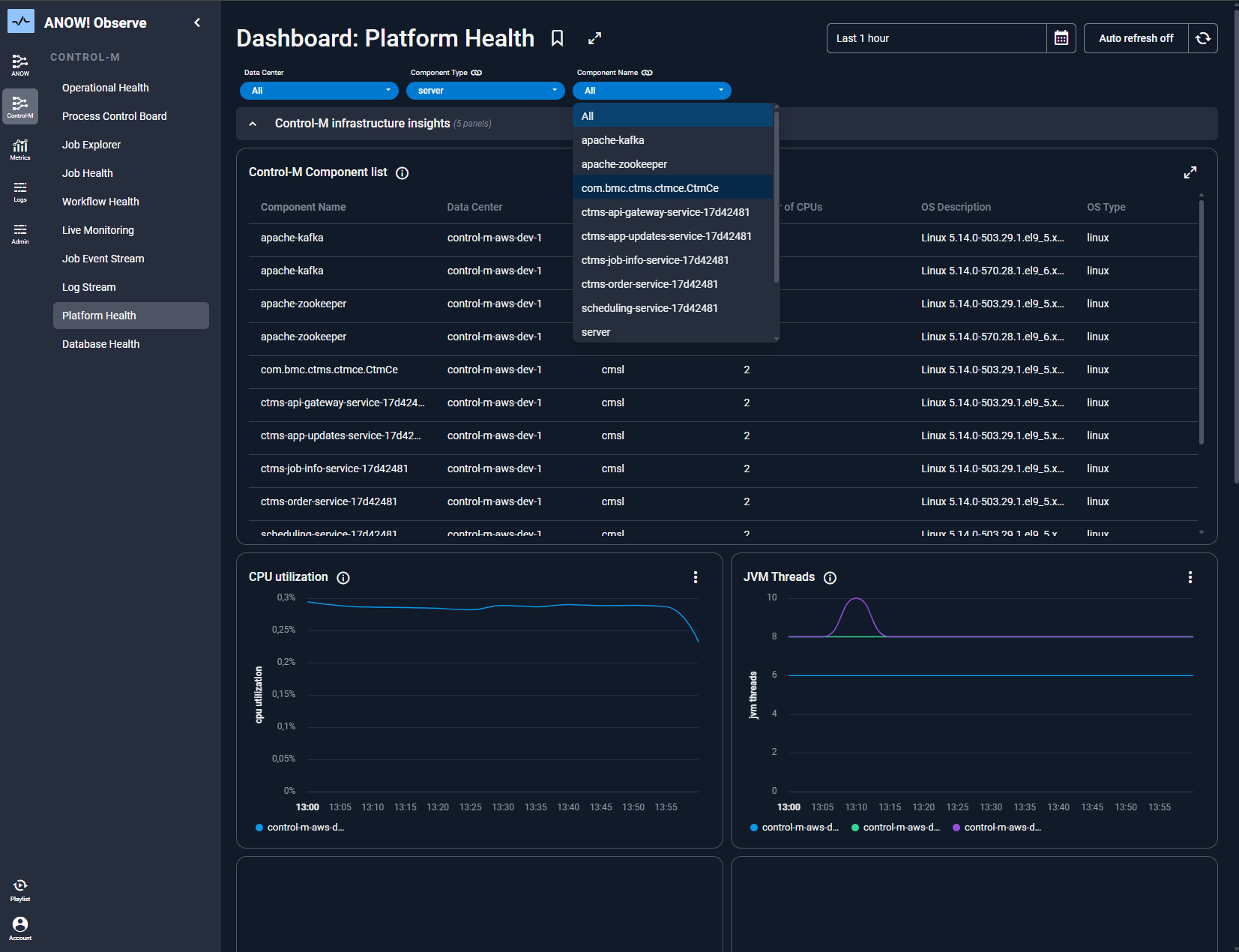
Observability is not a monitoring dashboard bolted onto your automation platform. It’s the foundation that makes automation trustworthy at scale.
Every pipeline should have real-time telemetry: execution status, SLA adherence, data quality metrics, and failure context.
When observability is native to your orchestration platform (as it is in ANOW! Observe), you can detect anomalies before SLAs breach, trigger automated remediation, and maintain full audit trails without manual effort.
Ready to Add Real-Time Observability to Your Data Workflows?
ANOW! Observe provides purpose-built observability for workload automation environments with SLA dashboards, anomaly detection, and automated alerting across all your data pipelines.
Design for Failure, Not Success
Every automated data workflow will fail at some point. The difference between a resilient pipeline and a brittle one is how failure is handled.
Build retry logic, failure notifications, and fallback paths into every workflow from the start. Define clear escalation paths, whether that means an ITSM ticket in ServiceNow, a Slack alert, or an automated rollback.
Enterprise-grade platforms handle these failure states natively, without custom scripting.
This is a core capability of modern DevOps automation software, where resilience, retry logic, and automated remediation are built into every workflow by design.
Treat Automation Definitions as Code
Workflows defined as code (stored in Git, versioned, and deployable through CI/CD pipelines) are far easier to maintain, audit, and roll back than GUI-configured jobs.
A jobs-as-code approach (as ANOW! Automate supports natively via JSON-based artifact definitions compatible with GitHub, GitLab, and Azure DevOps) brings software engineering discipline to workflow automation.
This is particularly important in regulated industries where change management and audit trails are non-negotiable.
Start Automating Your Data Workflows Today
By 2029, 90% of organizations currently using traditional workload automation will transition to Service Orchestration and Automation Platforms (SOAPs) to manage data pipelines across hybrid IT and business domains. The organizations that move will outpace those still fighting pipeline fires.
Data workflow automation is the operational backbone that makes AI-ready, cloud-native data infrastructure possible. If your team is evaluating modern workload automation, whether you are replacing BMC Control-M, Broadcom AutoSys, or an aging in-house scheduler, Beta Systems ANOW! Automate is built specifically for that transition.
Cloud-native, observability-first, and with 500+ native integrations including dbt and Apache Airflow, it is the enterprise orchestration layer your data workflows need.
Explore the platform, request a demo, or learn how to migrate from your current workload automation vendor with zero downtime.
Ready to modernise your data workflows?
Watch how enterprises replace legacy workload automation with a modern, cloud-native orchestration platform — without downtime, without risk, and without vendor lock-in.
:quality(50))
:quality(50))
:quality(50))