:quality(50))
| Best For | Standout Features | |
|---|---|---|---|
Beta Systems ANOW! Automate | Enterprises replacing legacy WLA that need EU data sovereignty and unified observability | Workload automation and observability in one cloud-native suite with 550+ native integrations | |
BMC Control-M | Large, mainframe-heavy enterprises already in the BMC ecosystem | Deep mainframe-to-cloud orchestration with agentic AI governance | |
Broadcom Automic Automation | Enterprises that want workload automation and release/deployment automation from one vendor | Combined WLA and CA-heritage release automation | |
Redwood RunMyJobs | SAP-heavy enterprises standardizing job scheduling around SAP RISE/GROW | SAP-endorsed premium partner status with consumption-based pricing | |
Apache Airflow | Data engineering and DevOps teams that want a code-first orchestrator | Python-based DAGs with a large, active community |
1. Beta Systems ANOW! Automate: Best for Enterprise Workload Automation
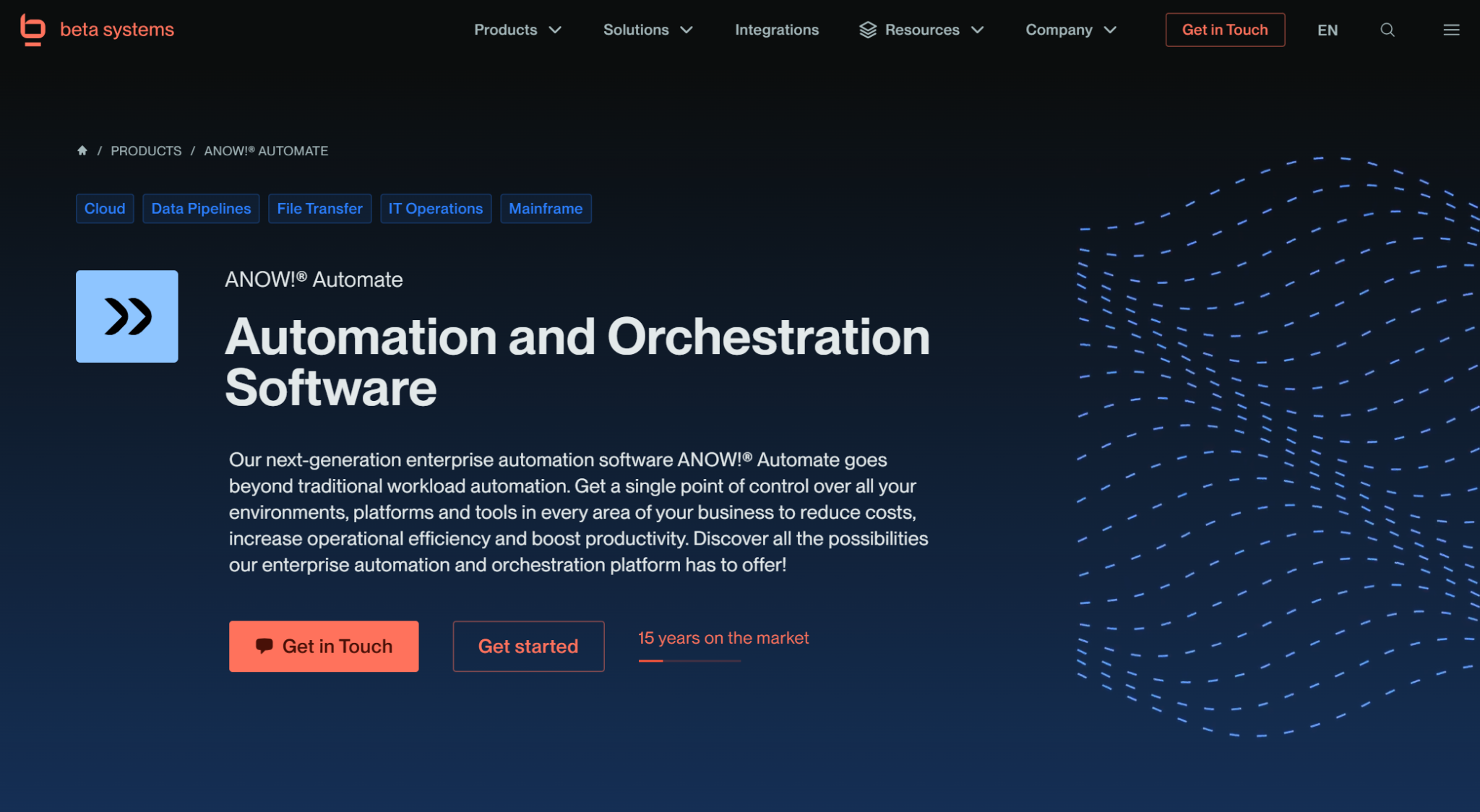
Beta Systems built ANOW! Automate as a cloud-native, next-generation workload automation platform, and it’s the most direct answer to a common complaint about legacy WLA: too many point tools bolted together.
Instead of pairing a scheduler with a separate monitoring stack, the ANOW! Suite unifies workload automation, orchestration, and observability in one platform, giving IT teams a single point of control across hybrid and multi-cloud environments.
For enterprises coming from a legacy vendor, or evaluating whether Stonebranch’s UAC is really the modern option it claims to be, ANOW! Automate is worth putting on the shortlist.
Looking for a modern alternative to Stonebranch UAC?
See how ANOW! Automate combines workload automation, orchestration, and observability across complex enterprise environments.
Beta Systems’ ANOW! Automate Key Features
ANOW! Automate is built on microservices architecture with Active-Active High Availability, which lets it scale without the downtime that plagues older, monolithic schedulers. Three capabilities stand out for teams comparing it against Stonebranch and the rest of this list:
Infinite Integration Capability
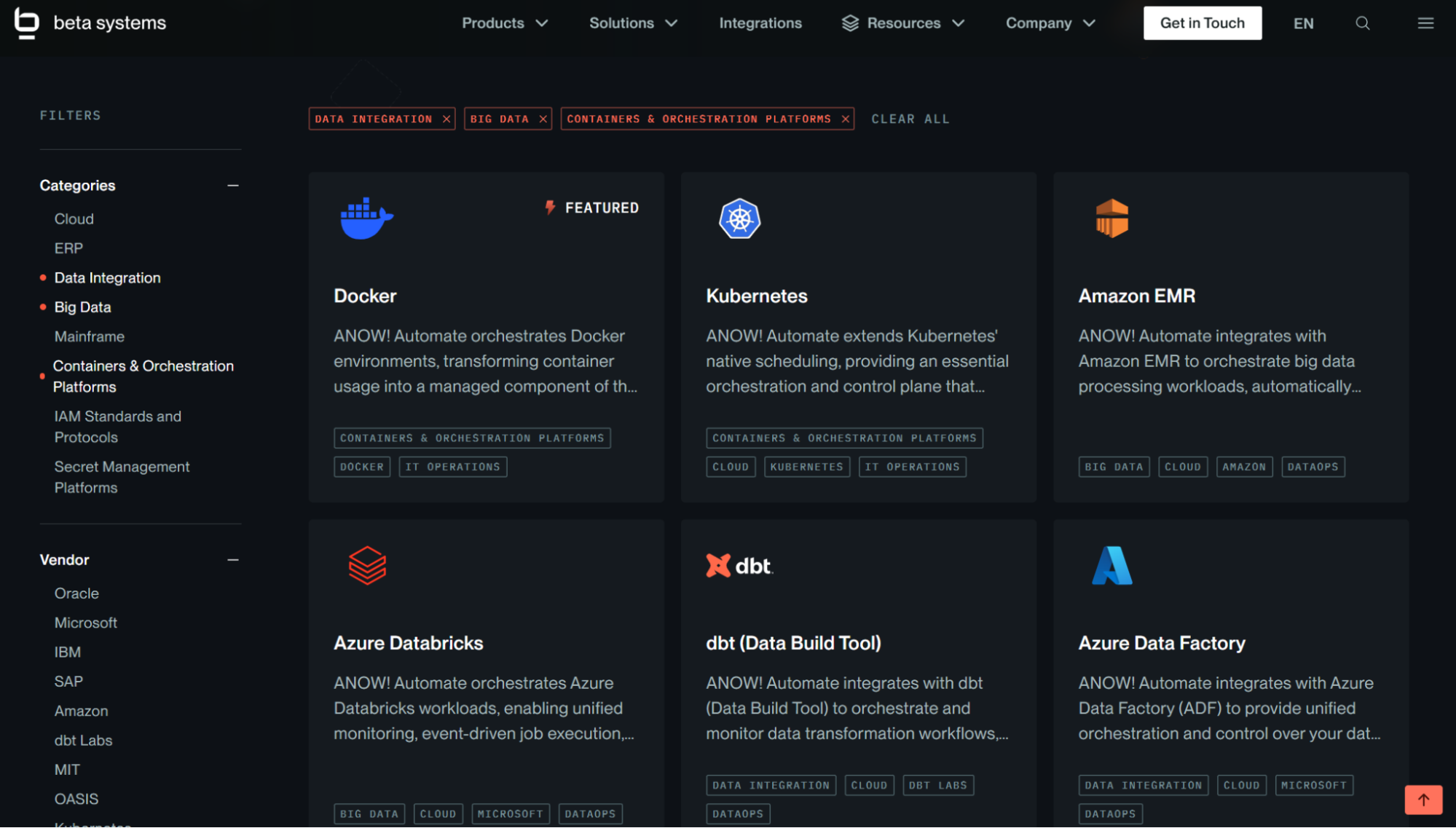
ANOW! Automate ships with 550+ native, out-of-the-box integrations spanning cloud platforms, DevOps tools, containers, databases, ERP, CRM, and ITSM systems, and its Infinite Integration builder lets teams connect custom or proprietary tools that fall outside standard connector libraries using APIs, CLI, or JavaScript-based logic.Enterprise-Grade SAP Orchestration
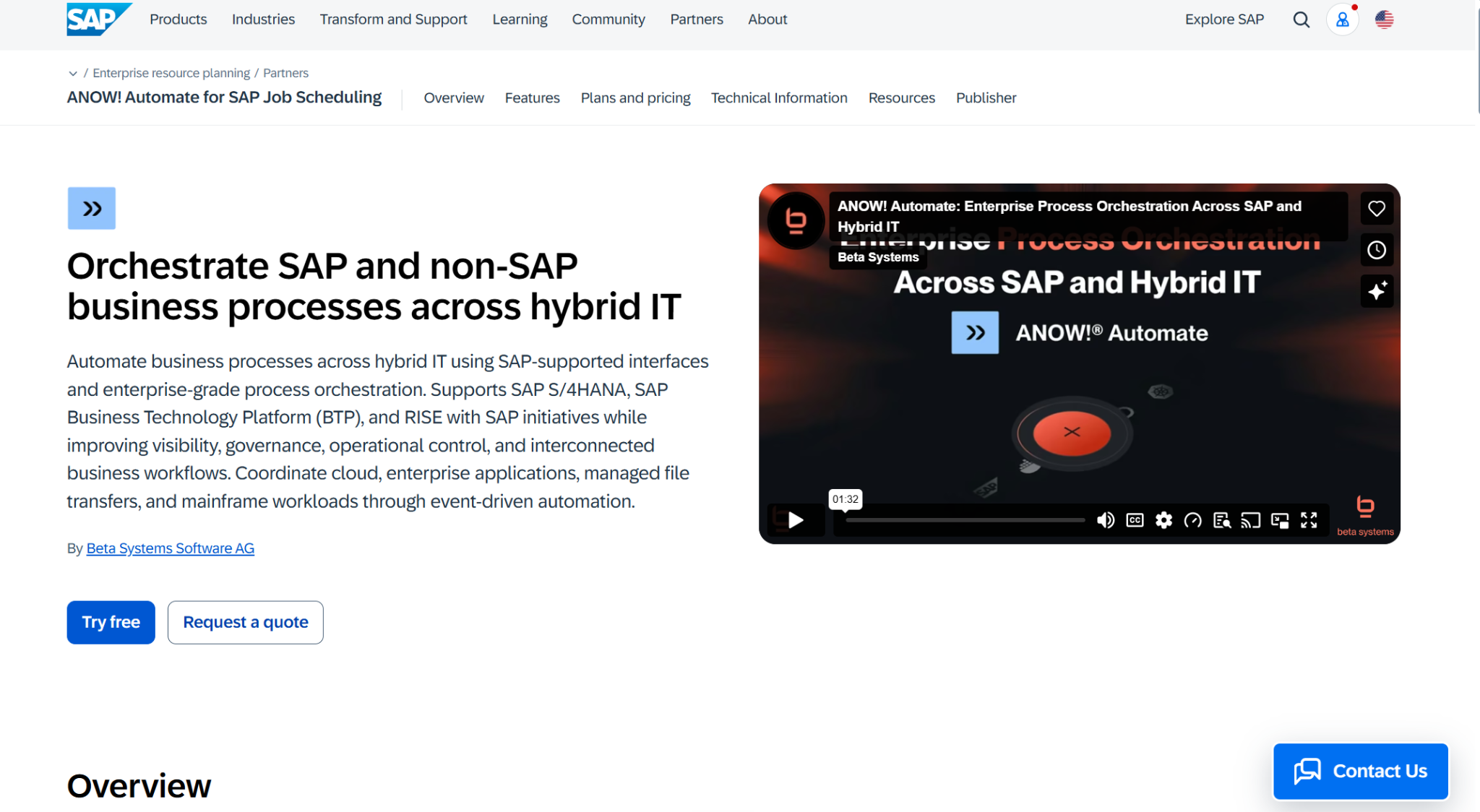
ANOW! Automate provides native, bidirectional orchestration for SAP environments, including both GROW and RISE with SAP S/4HANA, with dynamic variant handling and job interception for SAP-heavy IT estates. ANOW! Automate is also listed on the official SAP Store as a certified job scheduling solution.
Native Full-Stack Observability
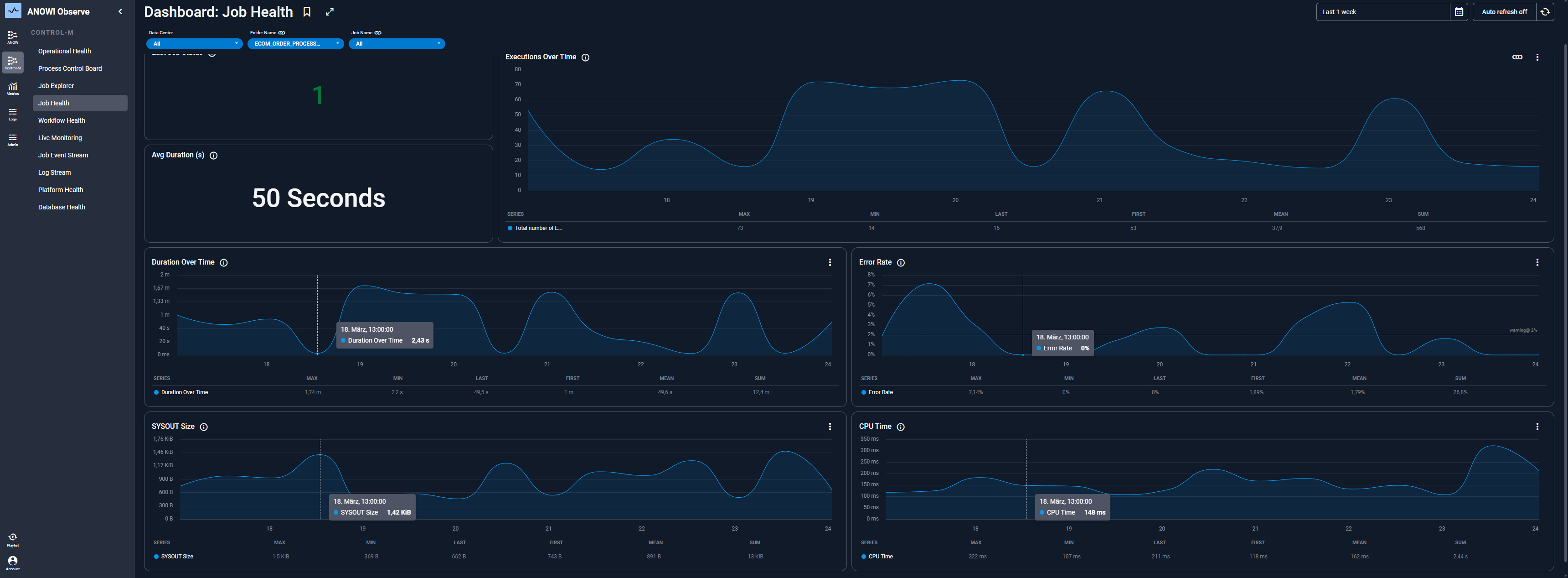
Where most workload automation tools bolt on basic logging, ANOW! Automate embeds OpenTelemetry-native observability directly into the orchestration engine through ANOW! Observe, enabling real-time anomaly detection, SLA risk forecasting, and automated remediation. Because it’s part of the same suite rather than a separate product, teams get one data model for execution and monitoring instead of stitching two tools together.
Where Beta Systems’ ANOW! Automate Shines
European data sovereignty: Beta Systems is a European vendor offering digital sovereignty and full data control, which matters for regulated industries (BFSI, insurance) navigating frameworks like DORA.
Unified automation and observability: Rather than layering a monitoring tool on top of a scheduler, the ANOW! Suite handles both from day one, which simplifies the tool stack Stonebranch users would otherwise need to assemble separately.
Deep SAP orchestration: Native RISE/GROW support and dynamic variant handling stand out for manufacturing, retail, and BFSI organizations running SAP-heavy operations.
Migration tooling built for legacy replacement: A proprietary conversion tool and phased migration methodology are designed specifically for teams moving off BMC, Broadcom, or Redwood, not just Stonebranch.
Where Beta Systems’ ANOW! Automate Falls Short
Limited UI localization: The web interface currently ships in English, German, Polish, and Japanese, which may not suit every global rollout.
UI modernization in progress: Beta Systems has acknowledged its interface design is due for a refresh and is actively working through a redesign, which is worth asking about in a demo if visual polish is a priority.
Beta Systems’ ANOW! Automate Customer Reviews
Vijay Y. praises, “What I like best about ANOW! Suite is how it centralizes workflow management and makes it easier to monitor tasks and processes from one place. The automation capabilities help reduce repetitive manual work, while the real-time visibility makes it easier to track progress and quickly identify issues. I also appreciate its integration capabilities, which make it easier to connect ANOW! Suite with the other tools we use.”
Abhishek K. shares, “What I like most about ANOW! Suite is its ability to centralize workflows, automate repetitive tasks, and provide real-time visibility into ongoing work. It improves efficiency, reduces manual effort, and makes it easier to track progress, collaborate with teams, and manage tasks from a single platform.”
Who Beta Systems’ ANOW! Automate Is Best For
Enterprises replacing BMC, Broadcom, or Redwood: Beta Systems is purpose-built for legacy displacement, not greenfield deployment.
European and regulated organizations: Teams that need digital sovereignty, compliance with EU frameworks, and a vendor headquartered in the EU.
Teams that want automation and observability from one vendor: Rather than pairing Stonebranch with a separate monitoring stack.
Beta Systems Software is Recognized as a Leader in the 2026 Gartner® Magic Quadrant™
Discover why analysts trust Beta Systems to deliver enterprise-grade workload automation and observability at scale.
:quality(80))
2. BMC Control-M: The Established Enterprise Standard
BMC’s Control-M is one of the longest-standing names in workload automation, and it remains a fixture on enterprise shortlists because of how far its ecosystem reaches, from mainframe batch processing to modern DevOps pipelines.
In June 2026, Montagu acquired a majority stake in BMC Helix, separating BMC's observability and ITSM portfolio from BMC Software. Control-M itself remains under BMC Software, but buyers evaluating BMC's broader roadmap should factor in that ownership split.
Key Features
Digital business automation across mainframe and cloud: Control-M connects applications, data pipelines, and infrastructure processes into one operations layer, spanning legacy mainframe environments and modern cloud-native workloads.
Agentic AI governance: BMC has built generative and agentic AI directly into Control-M’s orchestration layer, letting AI agents initiate and manage workflows within a governed framework rather than running unchecked.
SLA monitoring and predictive analytics: Advanced forecasting, critical path analysis, and multi-channel alerting help teams catch SLA risk before it becomes an incident.
Where Control-M Shines
Ecosystem depth: Few competitors match Control-M’s breadth of pre-built integrations and its track record inside large, established enterprises, particularly in banking and financial services.
Mainframe-to-cloud bridging: For organizations that still run mission-critical mainframe workloads alongside cloud estates, Control-M’s hybrid reach is a genuine strength.
Analyst recognition: Control-M has been named a Leader in the 2026 Gartner Magic Quadrant for SOAP and carries a large volume of Gartner Peer Insights reviews.
Where Control-M Falls Short
Complexity and learning curve: Reviewers most frequently cite complexity and a steep learning curve as drawbacks, particularly when configuring cross-application dependencies.
Cost at scale: Starting price aside, licensing costs tend to climb as execution volume and connected systems grow, a pattern that shows up often in the “why we're switching” conversations enterprises have when evaluating alternatives.
Portfolio fragmentation: With BMC Helix now under separate ownership, buyers evaluating Control-M as part of a broader observability or ITSM strategy should confirm how that roadmap will evolve independently.
Customer Reviews
Unnikrishnan R. shares, “What I like most about Control-M is how it brings everything together in one place. It makes it straightforward to monitor workflows, see and understand job dependencies, and quickly spot issues when something goes wrong.”
Anaswara S. laments, “The biggest downside for me is the cost, especially as you scale and add more agents or features. It also has a bit of a learning curve, and the UI can feel dated in some areas. Upgrades and patching sometimes take more planning than expected, and custom reporting could definitely be more flexible.”
Who Control-M Is Best For
Large enterprises with existing mainframe investments: Especially in banking, insurance, and financial services where Control-M already has deep penetration.
Organizations that prioritize ecosystem maturity over simplicity: Teams with the internal skill set to manage a more complex, feature-dense platform.
→ Read more on ANOW! Suite as a potential BMC Control-M replacement
3. Broadcom Automic Automation: Workload Automation Meets Release Automation
Broadcom’s Automic Automation (not to be confused with Broadcom AutoSys, a separate product in Broadcom's portfolio) combines workload automation with release and deployment automation in a single platform. It’s a common name on shortlists for enterprises replacing legacy CA Technologies tooling and wanting automation and release management under one roof.
Key Features
Combined WLA and release automation: Automic Automation extends beyond job scheduling into application release and deployment orchestration, useful for teams consolidating tools.
Cross-platform scheduling: Multi-platform job scheduling, centralized monitoring, and logging across SAP, Windows, and Linux environments.
Extensibility for custom automation: Support for remote function calls and business application peripheral interfaces for integrating bespoke or legacy applications.
Where Automic Automation Shines
Unified automation and release management: Fewer vendors to manage if your organization wants workload scheduling and release automation from a single platform.
Mature CA Technologies heritage: Deep roots in enterprise automation, particularly for organizations already standardized on other Broadcom or former CA products.
Where Automic Automation Falls Short
Limited public validation: Automic Automation’s G2 profile has a much smaller review base than most competitors on this list, making it harder to independently benchmark satisfaction and support quality before buying.
Opaque pricing: With no published pricing information anywhere, budgeting requires a sales conversation earlier in the evaluation process than with consumption-based competitors.
Climbing costs: Enterprise buyers often cite rising costs and support responsiveness as reasons to switch away from legacy Broadcom and CA-heritage tooling.
Customer Reviews
Anjani S. says Automic Automation is “Best for automating batch jobs and applicative processes. I have been using it to automate Oracle (SQL) and Linux jobs and put them together in Workflows for daily/weekly execution.”
Sridhar K. warns, “API is not extensively utilized in Automic Automation. The call-API concept is not monitoring-friendly. Crash recovery is at its worst. After client outage, the environment will not resume correctly to its original position; instead, we need to make that manually. Crash recovery could have been better. Object view should include small icons for Runtime, Prompt, and other properties.”
Who Automic Automation Is Best For
Organizations replacing legacy CA Technologies tools: Particularly those that already use other Broadcom products and want continuity.
Teams that want workload automation and release automation combined: Rather than running two separate platforms.
4. Redwood RunMyJobs: Best for SAP-Centric Enterprises
Redwood’s RunMyJobs has built its reputation almost entirely around SAP job scheduling, and it shows: it's an SAP-Endorsed App included in the RISE reference architecture, and it consistently posts some of the highest satisfaction scores in the category. For enterprises whose automation strategy is anchored heavily in SAP, it's a serious Stonebranch alternative to evaluate.
Key Features
SAP-native scheduling: Purpose-built to fill the gaps in SAP’s native scheduler, which only supports basic time-based triggering and limited alerting.
Consumption-based pricing model: Customers pay for process executions rather than process definitions or seat counts, which can simplify cost forecasting for variable workloads.
Cross-platform reach beyond SAP: While SAP is the core use case, RunMyJobs also supports non-SAP systems for broader job orchestration.
Where RunMyJobs Shines
SAP orchestration credentials: Its SAP-Endorsed App status and two-decade SAP partnership give it SAP-specific trust that generalist WLA tools can't easily replicate.
Strong user satisfaction: RunMyJobs holds one of the highest G2 ratings among enterprise workload automation tools, with reviewers regularly citing ease of use and reliable job scheduling.
Flexible cost model: Consumption-based pricing means customers aren't paying for platform fees around workloads they aren't running.
Where RunMyJobs Falls Short
Learning curve on advanced features: Reviewers commonly point to a steep learning curve once configurations move beyond basic scheduling, with UI complexity cited as an obstacle for junior administrators.
SaaS dependency: As a fully managed SaaS platform, customers are dependent on Redwood's uptime and release cadence, a tradeoff reviewers mention alongside cost concerns.
Cost visibility at scale: Consumption-based pricing can become harder to forecast as execution volume grows, particularly for organizations outside its core SAP use case.
Customer Reviews
Vandana S. praises, “I've been using RunMyjob Tool for a while now and I'm genuinely impressed with how smooth and efficient it makes managing tasks. The interface is clean, user-friendly, and easy to navigate, even for those who are new to this tool.”
Ana Paula D. flags, “One point that could be improved in RunMyJobs is that the initial setup can be a bit complex for new users. Additionally, the interface could be a bit more intuitive to facilitate navigation and the creation of workflows.”
Who RunMyJobs Is Best For
SAP-heavy enterprises: Especially those running or migrating to SAP RISE or GROW.
Organizations that want consumption-based billing: Teams with variable or seasonal job volumes that don’t want to pay a flat platform fee regardless of usage.
5. Apache Airflow: Best for Code-First Data Orchestration
Apache Airflow isn’t a workload automation vendor. It’s a community-maintained orchestration framework built primarily for data engineering and DevOps teams who want to define pipelines as code. It regularly comes up in Stonebranch evaluations from teams whose primary use case is data pipeline orchestration rather than broad enterprise job scheduling, so it's worth including here, with the caveat that it solves a narrower problem than the other four tools on this list.
Key Features
Python-based DAGs: Workflows are defined as Directed Acyclic Graphs in Python, giving data engineers a code-first, version-controllable way to build pipelines.
Large, active community: As a widely adopted community-maintained framework, Airflow benefits from a constant stream of plugins, operators, and integrations contributed by its user base.
Strong ecosystem of operators: Pre-built operators connect Airflow to nearly every major data source, cloud platform, and enterprise application.
Where Airflow Shines
Flexibility for data engineering teams: Highly adaptable for teams that already work in Python and want granular, code-level control over pipeline logic.
Community-driven innovation: New integrations and features arrive constantly through the community rather than a single vendor's roadmap.
No licensing cost: For teams with the in-house engineering capacity to run it, there’s no platform fee to negotiate.
Where Airflow Falls Short
Steep learning curve: Reviewers consistently flag setup complexity, Jinja templating difficulty, and a demanding learning curve, particularly for teams without dedicated data engineers.
No formal enterprise support: As a community-maintained framework rather than a vendor product, there's no built-in SLA, dedicated support line, or accountable vendor if something breaks in production.
Not built for broad enterprise job scheduling: Airflow is strong for data pipelines but lacks the SAP orchestration, mainframe connectivity, and governance features enterprises typically need across a full IT estate, which is where dedicated WLA platforms pull ahead.
Customer Reviews
Sachin G. shares, “The UI is also incredibly detailed; when a complex pipeline fails at 3:00 AM, the tree view and the ability to dig directly into the logs of a specific failed task save us an immense amount of troubleshooting time. The open-source community is massive, so if you are trying to connect Airflow to a database or a cloud service, chances are a robust provider package already exists.”
Lokesh S. cautions, “This is extremely powerful, but by no means a ‘set it and forget’ it tool. The overhead of the infrastructure is definitely high, and the need to fine-tune and keep the scheduler up and running without a single point of failure can be very demanding on a medium-sized team. It is also a rather steep learning curve for novices.”
Who Airflow Is Best For
Data engineering and DevOps teams: Organizations with in-house Python expertise and a primary use case centered on data pipelines rather than broad IT job scheduling.
Teams prioritizing flexibility over managed support: Those willing to trade a vendor SLA for full control over the orchestration layer.
Reasons to Consider an Alternative to Stonebranch Software
Stonebranch’s UAC is a genuinely well-regarded platform, but for enterprises still evaluating options, a few patterns show up often enough in independent reviews to factor into a shortlist.
Reason #1: Implementation Can Take Months
Research shows an average implementation time of five months for Stonebranch deployments, which is a meaningful runway for organizations trying to get off a legacy scheduler quickly.
Beta Systems addresses this directly with a proprietary conversion tool and a phased, wave-based migration methodology built specifically for legacy replacement projects, so workloads move in controlled segments rather than a single high-risk cutover.
Planning your move away from Stonebranch or another legacy scheduler?
Explore a modern workload automation platform built to support phased migration instead of forcing a high-risk cutover.
Reason #2: Pricing Isn't Published, and Perceived Cost Runs High
Stonebranch doesn’t publish pricing, and G2’s pricing data flags its perceived cost at the top of the scale, with an average ROI timeline of 21 months. That’s a long runway to prove out value.
Beta Systems takes a different approach: production-only billing based on average monthly workload, rather than peak usage, with no extra charges for testing environments and guaranteed pricing terms locked in for the contract period.
Reason #3: Advanced Configuration Has a Real Learning Curve
Multiple G2 reviewers note that while day-to-day scheduling in Stonebranch is approachable, advanced configuration options come with a steep learning curve, and at least one enterprise reviewer flagged horizontal scalability challenges in larger environments.
Beta Systems’ object reusability model is built to reduce this complexity: fewer job definitions overall, thanks to reusable components and dynamic workflows, which cuts the configuration overhead that tends to build up as environments scale.
What’s Next?
Stonebranch is a capable, modern platform, and for teams already running it well, there’s rarely a reason to rip it out.
But if you’re comparing options because of migration timelines, pricing transparency, or the complexity of scaling advanced configurations, the five alternatives above cover most of the ground:
Beta Systems ANOW! Automate for enterprises replacing legacy WLA with EU data sovereignty and unified observability
BMC Control-M for mainframe-heavy environments that can absorb its complexity
Broadcom Automic Automation for teams consolidating release automation
Redwood RunMyJobs for SAP-first organizations
Apache Airflow for data engineering teams that want a code-first tool
If your evaluation centers on replacing a legacy vendor with a modern, unified automation and observability platform backed by a proven migration methodology, read how BITMARCK modernized its workload automation with a phased, low-risk migration.
See what a modern Stonebranch alternative looks like in practice
Bring workload automation and observability together while supporting complex SAP, cloud, and legacy environments.
:quality(50))
:quality(50))
:quality(50))