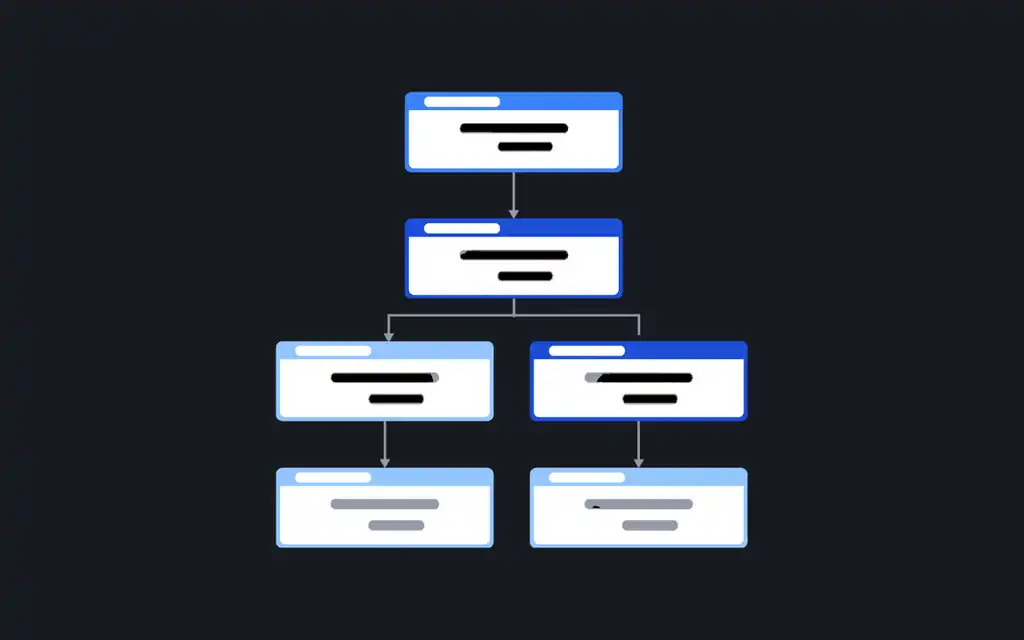
What Is SAP Automation?
SAP automation uses software to run SAP processes and IT operations without a person starting, checking, or handing off each step. Automation replaces manual effort with rules: a trigger starts the work, dependencies set the order, and monitoring catches failures.
SAP automation also reaches the file transfers, cloud services, and partner systems those processes depend on. That reach is what separates SAP automation from SAP’s built-in job scheduler, transaction SM36, which starts and sequences background jobs within a single SAP system.
Bots, interfaces, and job schedulers each automate a different part of that work, usually within a wider enterprise automation program.
How SAP Automation Works (Step-by-Step)
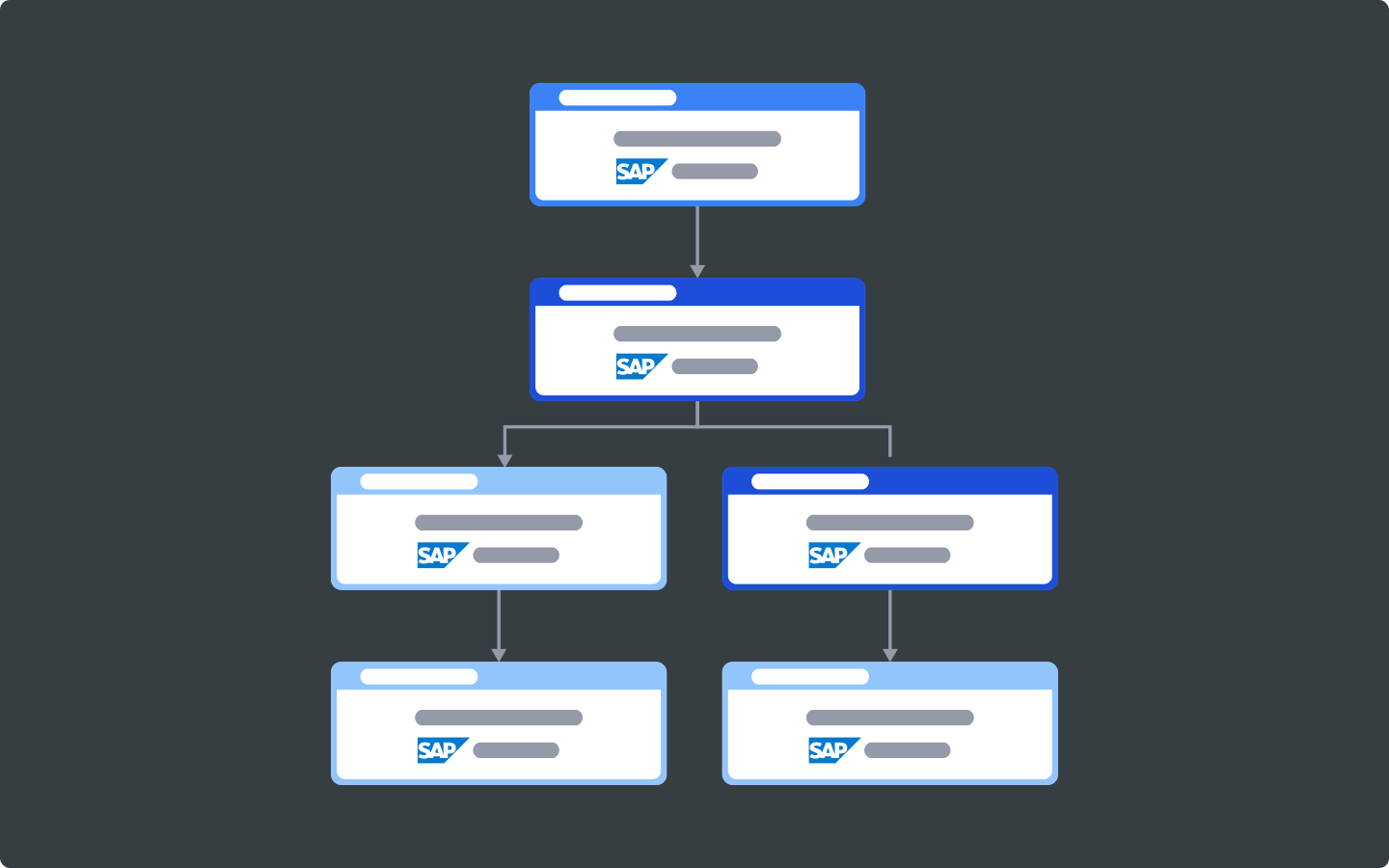
SAP job automation runs in a five-step cycle, from choosing what to automate to recovering from failures.
Step #1: Process Selection and Job Definition
Automation starts with processes that repeat on a schedule or in high volume and follow fixed rules. Steps that need human judgment remain manual or become an approval in the workflow.
Each selected process becomes a job definition: the program to run, the variant and its selection criteria, the target system, and the conditions for success.
Step #2: Trigger Detection
Different triggers can start an SAP job:
Time: A fixed date, time, or calendar.
Job completion: Another job finishing upstream, with success or with an error.
SAP event: An event raised inside SAP, such as an operation mode change.
External event: A file arriving on a server, a message from another application, or an API call.
Transaction SM36 covers time, job completion, and SAP events, but it can’t watch systems outside SAP. To start an SAP job when a file lands on a server, teams write a script that raises an SAP event or a job that keeps checking for the file. An event-driven automation layer watches those systems directly.
Did You Know?
Where teams set these triggers depends on the SAP edition. SAP S/4HANA Cloud Public Edition has no central scheduling transaction like SM36, and business users schedule application jobs in task-specific Fiori apps, according to SAP's own training.
Step #3: Dependency Resolution Across SAP and Non-SAP Systems
Before an automation starts, the scheduler checks that every job and input it depends on has finished.
Dependencies on files, data loads, or jobs in other systems need a scheduler that sees both sides. Without one, an SAP job can start on incomplete data.
Step #4: Execution and Monitoring
The job runs on its target system, and SAP records its status and job log. Teams check both in SAP’s job overview, transaction SM37, or in the Application Jobs app in S/4HANA Cloud, one system at a time.
SAP monitoring automation tracks every run in one place, as batch job scheduling platforms do, and alerts you when a job fails, runs long, or misses its start.
Step #5: Error Handling and Restart
Recovery rules decide what happens after a failure: retry after a set interval, restart from the failed step, run a fallback job, or hold the chain and alert the job's owner.
Without those rules, a failed overnight job waits until someone notices it, and the jobs after it miss their window.
Different Types of SAP Automation Tools
These are the different categories of tools that cover SAP automation:
Robotic Process Automation (RPA)
RPA bots repeat the clicks and keystrokes a user makes in SAP GUI or SAP Fiori, usually through SAP GUI Scripting in the desktop client. UiPath and Automation Anywhere both offer SAP automation on their RPA platforms.
RPA fits repetitive screen work with no API behind it. Review every bot built on SAP GUI before users move to SAP Fiori, SAP’s long-term single interface.
Common Mistake:
Using RPA bots to schedule background jobs. Bots repeat what a user does on screen, while jobs with dependencies outside SAP belong to workload automation.
Workflow Automation and Low-Code Tools
Low-code workflow tools route approvals and tasks between people and systems through visual builders.
SAP's own option, SAP Build Process Automation on SAP Business Technology Platform (BTP), combines workflows, RPA bots, prebuilt content, and document processing.
It fits SAP process automation built around approvals, where a request has to reach the right people before the next step runs.
Integration and API-Based Automation
Integration tools exchange data with SAP through its own interfaces, such as Business Application Programming Interfaces (BAPIs) and OData services, instead of copying what appears on screen. SAP Integration Suite and third-party middleware run those flows, so data entered in one system reaches SAP without anyone retyping it.
A nightly SAP job that waits for an integration to finish still needs a scheduler to hold it until the data lands.
IT and DevOps Automation Tools
IT operations and DevOps tools automate SAP upkeep: restarts, updates, database tasks, and recovery after an alert.
SAP Automation Pilot handles SAP BTP automation for that upkeep: it ships more than 300 prebuilt commands, starts them from an alert or on a schedule, and reaches on-premises systems through SAP Cloud Connector.
Workload Automation and Job Scheduling Platforms
Workload automation (WLA) platforms schedule, sequence, and monitor background jobs across many systems from one place.
A WLA platform such as Beta Systems’ ANOW! Automate links SAP jobs to file transfers, cloud data platforms, and non-SAP jobs, so each SAP step waits for its inputs instead of running without them.
Connect SAP and non-SAP jobs through one automation platform.
Coordinate SAP jobs, file transfers, and cloud workloads through event-driven automation with 500+ native integrations.
The Main Ways Organizations Automate SAP
IT and DevOps tools keep SAP itself running, so the other four categories group into three methods, one per layer of SAP work. Most organizations run all three side by side.
Method | Problem it solves | Typical tools | Strength | Limit |
|---|---|---|---|---|
Screen task automation | Repeated clicks, data entry, and approvals with no interface behind them | RPA bots, SAP Build Process Automation | Quick to start on the screens users already know | Breaks when a screen changes |
Interface-based integration | Data moved by hand between SAP and other software | SAP Integration Suite, third-party middleware | Keeps working when screens change | Moves data but doesn’t time jobs |
Cross-system job orchestration | Background jobs that wait on files, data loads, or jobs in other systems | WLA platforms | One view of dependencies across SAP and non-SAP systems | Doesn’t replace bots or integrations |
Where SAP Automation Creates the Most Value
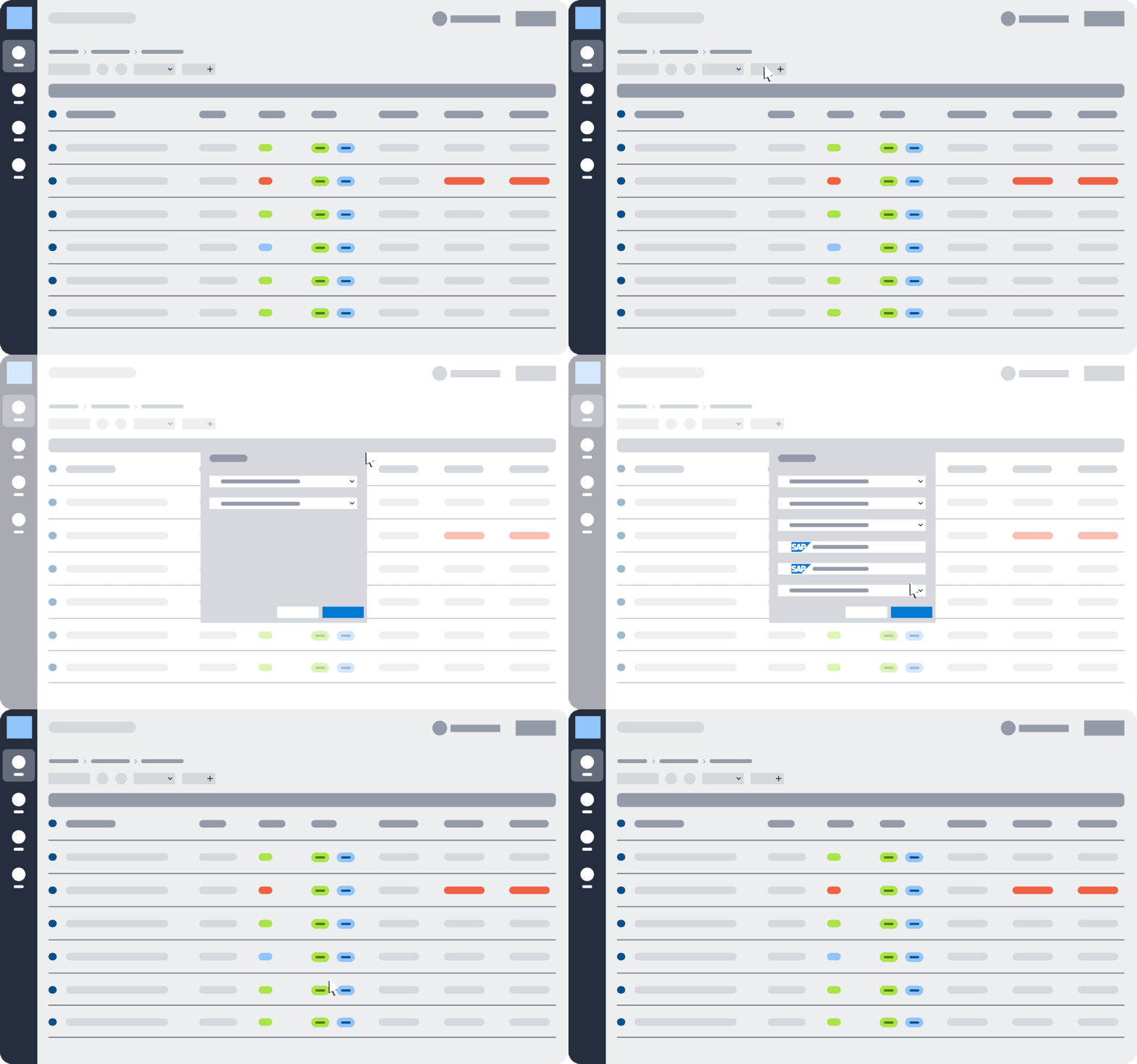
The biggest gains come where SAP work is repeated manually, deadline-driven, cross-system, or audit-related.
Fewer Manual Errors in SAP Data Entry
Every time someone rekeys data into SAP, they risk typos or missed fields. Bots and interfaces enter the same data the same way every time, so errors stop at the source instead of surfacing during reconciliation.
Fewer Missed Batch Windows With Event Triggers
Time-based schedules pad the overnight batch window with buffer time in case an input arrives late. Event triggers start each job as soon as its input lands, leaving more of the window for downstream jobs and less room for a late input to push SAP work into business hours.
One Status View Across SAP and Non-SAP Jobs
Central job monitoring pulls status from every system into one view, so teams catch a failed or late job before the delay reaches the next system. Automation observability adds the metrics and logs that explain why a job slowed down.
An Audit Trail for Every Job Run
Every automated run leaves a record of who scheduled the job, who changed it, what ran, and what failed. Banks and insurers use that record to show control under compliance frameworks such as the EU's Digital Operational Resilience Act (DORA). Pharmaceutical manufacturers use the same record in quality audits that require a traceable history for every production step.
Real-World SAP Automation Use Cases
These processes show what changes when SAP automation covers each layer, from invoice entry on SAP's screens to background jobs that wait on systems outside SAP.
Accounts Payable: Invoice Capture and Approval
Supplier invoices still arrive as paper, PDFs, and spreadsheets, and each one must reach SAP with approval.
Before: Accounts payable staff key each invoice into SAP by hand and chase approvals by email.
After: Document processing in SAP Build Process Automation reads each invoice, a bot or an interface posts it to SAP, and a workflow routes it to the approver.
Finance: Period-End Close Sequencing
Period-end close mixes SAP tasks with steps in banking and consolidation systems.
Before: SAP's Financial Closing cockpit sequences the SAP close tasks, while bank statement imports and consolidation loads run on their own schedules. Accountants manually confirm that those outside steps finished before releasing the next SAP tasks.
After: An orchestration layer starts each SAP close task only after the bank and consolidation steps it depends on finish, so the close runs as one tracked sequence.
Manufacturing: Event-Triggered MRP Runs
In S/4HANA, planners schedule material requirements planning (MRP) runs as background jobs with the Schedule MRP Runs app, and each run depends on demand and supplier data from other systems.
Before: MRP runs at a fixed hour. When forecasts or supplier stock updates arrive late, the run plans on the previous day's data.
After: Event triggers start MRP as soon as the forecast and supplier files land, so planners work from current demand.
Reporting: File-Triggered BW/4HANA Data Loads
SAP BW/4HANA loads data through process chains, which can start at a set time, after an event, or through an API call to the function module RSPC_API_CHAIN_START.
Before: Process chains start at a fixed time and pick up whatever source files have arrived. A late file from a non-SAP system leaves morning reports incomplete.
After: An external scheduler starts the chain through the API as soon as the source file arrives, so reports run on complete data.
IT Operations: Housekeeping Job Monitoring
SAP's standard housekeeping jobs, such as SAP_REORG_JOBS and SAP_REORG_SPOOL, delete old job logs and spool requests.
Before: Administrators check housekeeping jobs one system at a time, so a job that stops running goes unnoticed until old records slow the system.
After: Central monitoring flags any housekeeping job that fails or misses a run across every SAP system, before performance drops.
Free Resource: Watch Beta Systems' demo on orchestrating the SAP cloud move, which connects legacy SAP systems and cloud services through event triggers.
How Companies Typically Implement SAP Automation
Companies that scale SAP automation move in three stages: inventory, pilot, then rollout.
Step #1: Inventory Every SAP Job Before the S/4HANA Move
SAP ends mainstream maintenance for Business Suite 7 core applications, including ECC, at the end of 2027, with optional extended maintenance to the end of 2030, according to SAP. Large ECC systems that move into SAP's private cloud by the end of 2030 can also buy a transition option.
So, every ECC job needs a decision before the end of 2027: migrate it to S/4HANA, rebuild it, or retire it.
The inventory lists each job, its owner, its schedule, and its dependencies, including scripts outside SAP. Record each job's target edition too, since S/4HANA automation in the public cloud or under RISE with SAP changes who schedules and monitors each job.
For jobs already in an external scheduler such as Control-M, AutoSys, or Automic, Beta Systems' migration program converts the job definitions with its own conversion tool.
➝ Further Reading: Migration Without Regret sets out how to move off an older scheduler without disrupting production schedules.
Step #2: Pilot One Process That Crosses SAP and Non-SAP Systems
Pick one process with steps inside and outside SAP and run it for at least one full cycle. On-time completion and the number of manual touches show whether the setup is ready to scale.
Step #3: Roll Out by Business Process, Not by System
Add processes one at a time, reusing the naming rules, owners, and alert routes set during the pilot. Rolling out by business process keeps each process's SAP and non-SAP steps on one schedule, instead of splitting them between teams that each own one system.
To plan that rollout across SAP and the systems around it: talk to our team about the ANOW!® Suite.
Best SAP Automation Tools for Cross-System Jobs
These platforms cover the job layer, where SAP background jobs meet the systems around them. Check three things on any shortlist:
SAP reach: Which SAP releases and editions it schedules, from ECC through S/4HANA under RISE with SAP or in the public cloud, and whether it connects through SAP's own interfaces rather than screen scripts.
Triggers from outside SAP: Whether a file arrival or a message from a non-SAP system can start an SAP job, or hold one until its input lands.
The jobs you already run: How it handles SM36 jobs, jobs users start themselves, and the definitions sitting in your current scheduler.
1. Beta Systems' ANOW!® Automate
ANOW! Automate is Beta Systems' cloud-native workload automation and orchestration platform. Its event-driven design starts jobs in response to events, such as an SAP table update or a file arrival, rather than on a fixed schedule.
It runs as software as a service (SaaS), in a private cloud, or on-premises, and teams can switch models later, so the first choice doesn't lock them in.
As a European provider, Beta Systems supports digital sovereignty, giving banks, insurers, and public-sector teams a path to keep automation infrastructure within EU jurisdiction.
Beta Systems keeps pricing transparent and predictable, so teams can plan costs before committing. For SAP, ANOW! Automate offers:
SAP orchestration- releases and editions: R/3 and ECC through S/4HANA on-premises and cloud, SAP BTP, and RISE and GROW with SAP.
Native SAP interfaces: Web services, BAPI calls, OData APIs, and remote function calls (RFC), so jobs connect to SAP without screen scripting.
Control of user-started jobs: An intercept sensor monitors and controls user-initiated jobs, and ANOW! Automate can intercept S/4HANA jobs, collect spool files, and manage program variants.
Workload balancing: It balances load during SAP job extraction and interception.
500+ native integrations: Out-of-the-box connectors for the systems around SAP, from cloud data platforms and databases to file transfers.
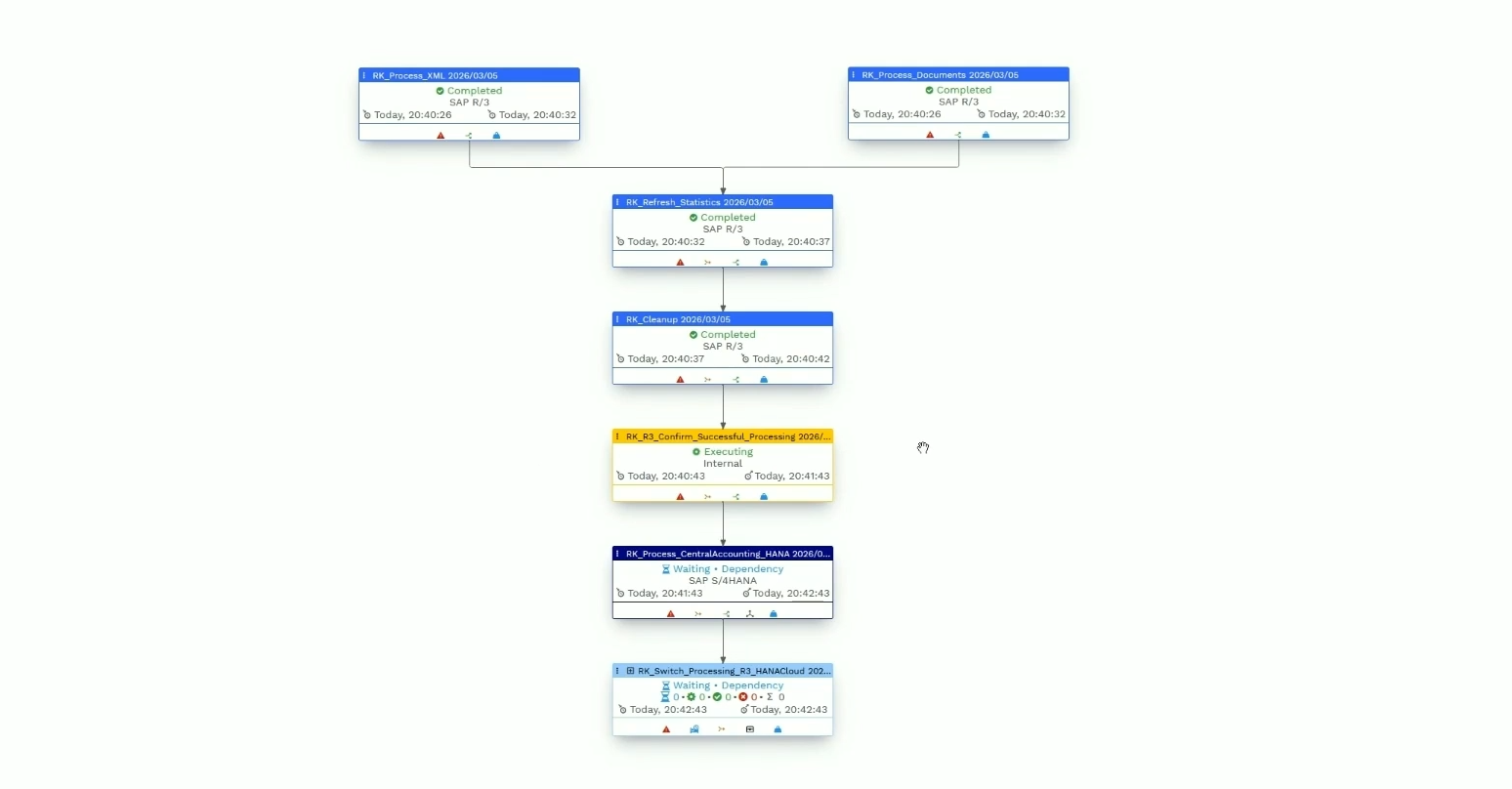
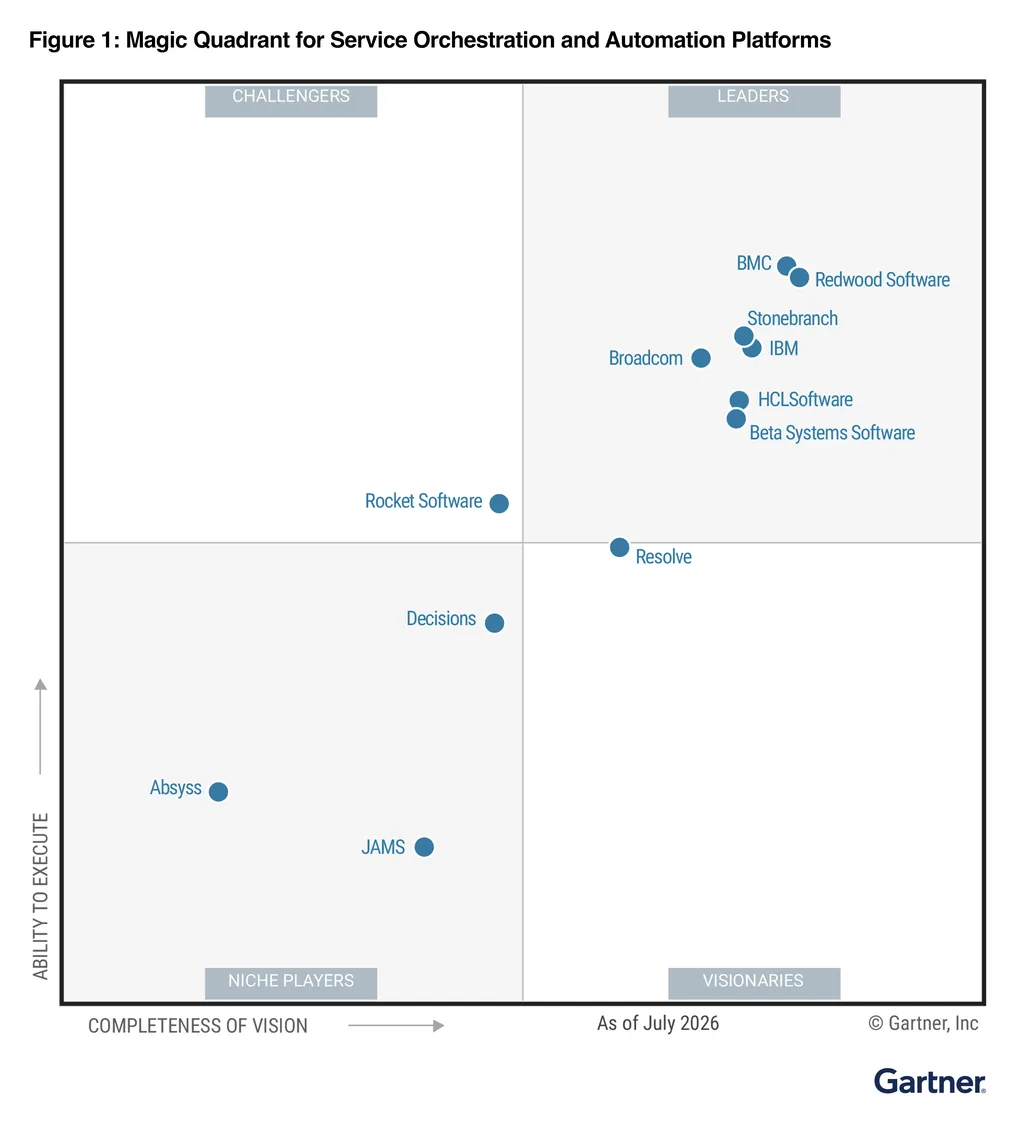
SAP lists ANOW! Automate for SAP job scheduling on the SAP Store, and Beta Systems is a Leader in the 2026 Gartner® Magic Quadrant™ for Service Orchestration and Automation Platforms (SOAP).
Beta Systems Software is Recognized as a Leader in the 2026 Gartner® Magic Quadrant™
Discover why analysts trust Beta Systems to deliver enterprise-grade workload automation and observability at scale.
ANOW! Automate isn't RPA: it runs background jobs and their dependencies rather than repeating clicks on a screen.
Best for: Enterprises moving off a legacy scheduler that need SAP and non-SAP jobs on one event-driven schedule.
See how ANOW! Automate would run your SAP jobs alongside your non-SAP workloads.
2. Redwood RunMyJobs
RunMyJobs by Redwood is a SaaS workload automation platform with a strong SAP focus. It holds SAP Endorsed App status, and Redwood describes it as premium certified with SAP.
For RISE with SAP, RunMyJobs connects through a Secure Gateway that SAP Enterprise Cloud Services installs and monitors.
Best for: SAP-centric teams that want SaaS scheduling inside RISE with SAP.
Limitation: Redwood builds and sells RunMyJobs as a SaaS service, so it fits teams ready to run scheduling as a cloud service rather than on infrastructure they host.
3. Control-M for SAP
Control-M from BMC Software connects to SAP ECC, S/4HANA, SAP BW, and SAP data archiving through SAP-certified interfaces, and coordinates workflows with SAP BTP and SAP Integration Suite. BMC says existing SAP job definitions stay unchanged, and Control-M supports RISE-managed systems.
Best for: Enterprises already running Control-M that want their SAP jobs in the same scheduler.
Limitation: SAP job types come through the Control-M for SAP plug-in, which requires Control-M/Agent 9.0.20 or later.
Our Control-M replacement page sets out the move for teams that want to leave Control-M.
4. SAP's Native Scheduling and Monitoring Services
SM36 and the application job apps in S/4HANA Cloud schedule background jobs within one SAP system, and the SAP BTP Job Scheduling service runs one-off or recurring jobs for BTP applications. SAP Cloud ALM adds Job and Automation Monitoring for background jobs, process chains, and BTP jobs across SAP products.
Best for: Teams whose jobs stay inside SAP.
Limitation: Each service schedules within its own runtime, so a chain that runs from a non-SAP file transfer into SAP jobs needs a WLA platform such as ANOW! Automate to schedule both sides.
Best Practices for Building a Sustainable SAP Automation Strategy
Three habits keep SAP automation from turning into a pile of unowned scripts and bots.
Assign One Owner to Every SAP Job
Automation sprawls when jobs live in SM36, users schedule their own, scripts run on servers, and bots run on desktops, each on its own clock. Give every job one owner and one place to check its status, so a failure reaches someone who can fix it.
Our post on citizen developers covers keeping that control as business teams build their own automations.
Version-Control SAP Job Definitions
A change to a variant or a dependency changes how the next run behaves. Version each change, review it before production, and test it in a non-production system first.
Build Event-Driven Triggers Before AI Agents
Gartner predicts that by 2030, AI agents will initiate 50% of activity on service orchestration and automation platforms, up from under 5% in 2026, according to Beta Systems' analysis of the 2026 Magic Quadrant.
Agents act on events, so a job layer that already runs on events is the foundation for agentic automation.
Take a Smarter Approach to SAP Automation and Workload Management
SAP's own platforms cover screens and data: SAP Build Process Automation and SAP Integration Suite. The jobs linking SAP to banks, data platforms, and partners have no single SAP schedule to run on, and that's where batch windows slip.
ANOW! Automate runs those jobs on one event-driven schedule for enterprises moving off older schedulers, with 500+ native integrations for the systems around SAP. Book a demo to discuss your own SAP jobs.
Bring your SAP and enterprise workloads together with ANOW! Automate.
See how one platform can coordinate SAP, cloud, file transfer, and legacy workloads across your IT environment.
FAQs
1. What Is the Difference Between SAP Automation and SAP Orchestration?
SAP automation runs individual SAP tasks without manual steps, such as a scheduled billing job or a bot entering invoices. Orchestration coordinates many of those tasks into one end-to-end process, deciding the order, the dependencies, and what happens when a step fails.
Most orchestration spans SAP and non-SAP systems. Our guide to SAP orchestration covers it in more depth.
2. Is SAP Test Automation Part of SAP Automation?
Partly. SAP test automation sits next to SAP automation rather than inside it: it runs scripted tests to check that SAP processes still work after a change, such as an upgrade or a move to S/4HANA. By contrast, SAP automation runs the business work itself.
3. Does SAP Automation Need Coding Skills?
SAP automation needs coding skills for some layers and not others.
Low-code tools such as SAP Build Process Automation let business users build workflows in visual builders. At the same time, integrations and custom SAP programs usually need developers who know SAP's interfaces or ABAP, SAP's programming language.
Workload automation platforms like ANOW! Automate offer a browser-based interface built for IT and non-IT users.