:quality(50))
What Is Data Pipeline Automation?
Data pipeline automation refers to orchestrating the movement, transformation, and monitoring of data from source systems to storage, analytics, or downstream applications, without requiring manual triggering or babysitting at each step.
A data pipeline itself is a sequence of processes that move data from its source (databases, APIs, or IoT devices) to its destination, such as a data warehouse, analytics tool, or dashboard. These pipelines typically include steps like ingestion, transformation, validation, storage, and delivery.
Instead of running jobs by hand, automated pipelines rely on scheduled triggers (e.g., nightly batch loads) or event-driven triggers (e.g., a new file landing in a bucket). A typical pipeline moves through the ingestion, processing, storage, and delivery stages; automation applies to each.
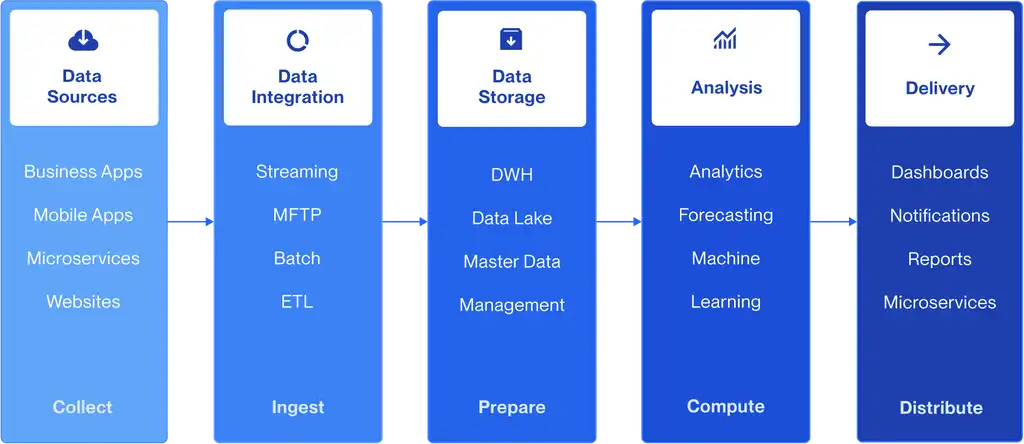
Compared to when an engineer manually runs scripts to extract and clean data, an automated pipeline can schedule regular data extraction from multiple sources, validate and clean incoming data automatically, transform it into the right format for analytics, and deliver it to BI platforms in near real-time, turning a fragile, manual workflow into a robust, repeatable process that supports decisions at scale.
Gartner explicitly includes data pipeline support among the mandatory and common feature sets it evaluates in the service orchestration and automation platform (SOAP) market, underscoring that this is now a core capability, a shift covered in more depth in our guide to workflow orchestration.
Pro tip:
If your team already runs workload automation for batch jobs and SAP processes, data pipeline automation isn't necessarily a separate tool. Many enterprise platforms now orchestrate both under one roof.
Types of Data Pipelines
Not every pipeline moves data the same way. The right automation approach depends on how fast data needs to move and where it's processed.
Pipeline Type | How It Moves Data | Best Suited For |
|---|---|---|
Batch | Processes data in scheduled chunks (hourly, nightly, weekly) | Large-volume ETL, reporting, and end-of-day reconciliation |
Streaming | Processes data continuously, as events occur | Fraud detection, real-time dashboards, IoT telemetry |
Micro-batch | Processes small batches at high frequency (seconds to minutes) | Near-real-time analytics without full streaming overhead |
Hybrid | Combines batch and event-driven triggers across systems | Enterprises bridging legacy (mainframe/on-prem) and cloud |
Most large enterprises don't run a single pipeline type. They run all four, often spanning containerized environments. Our guide to event-driven automation and Kubernetes-based scheduling covers how modern orchestration adapts to each.
Two architectures sit underneath most of this: batch and streaming.
A batch pipeline collects and processes large volumes of data at scheduled intervals (hourly, nightly, or weekly) and is the backbone of most ETL processes, where data is extracted, cleaned, transformed, and loaded into a warehouse for analysis. A retail company running nightly jobs to aggregate daily sales and refresh dashboards by morning is a classic example. Batch is efficient for high-volume data, predictable to schedule, and easy to optimize for resource use, but it isn't suited to scenarios that need immediate insight.
A streaming pipeline moves and processes data continuously in near real time as it's generated. This is essential where timely decisions matter, such as in monitoring IoT devices, powering recommendation engines, and detecting fraud. It enables event-driven triggers and faster responsiveness. The trade-off is complexity: streaming pipelines are harder to design and maintain and typically require more infrastructure investment than batch pipelines.
Why Data Pipeline Automation Is Critical for the Modern Data Stack
As data volumes, source systems, and AI/ML workloads multiply, manual pipeline management can no longer scale. Automation here becomes all about keeping pipelines reliable as complexity grows.
Reason #1: Operational Efficiency at Scale
Manually managing dependencies across dozens or hundreds of data sources no longer works once pipelines span hundreds of interconnected jobs. Every manual handoff between systems adds delay and increases the risk of human error.
Automated scheduling and dependency mapping let data engineers, analysts, and ML teams stop firefighting transfers and focus on higher-value work instead, a shift covered in more detail in our piece on citizen developers and the automation dilemma.
This shift is also easy to measure: compare total data processing time before and after automation, and the gain becomes concrete. In effect, teams move from asking "what has to be done" to "what can be done," spending time on analytics, forecasting, and strategic planning instead of keeping the data flow alive.
Reason #2: Reliability and Self-Healing
Automated pipelines detect failures, trigger retries, and reroute around bottlenecks without waiting for someone to notice and step in. That matters most outside business hours, when a stalled nightly load can quietly feed incomplete data into the next morning's reporting before anyone is awake to catch it.
Reducing unplanned data downtime protects the accuracy of downstream dashboards, reports, and machine-learning inputs, all of which can degrade quietly when a pipeline fails unnoticed.
Built-in recovery mechanisms also improve resilience during outright system failures. Rather than manually restarting and re-sequencing every job once the system is back up, predefined conditions automatically resume the pipeline, which is especially useful for handling the demand spikes that often follow an outage.
Reason #3: Data Quality and Consistency
A manual pipeline is only as consistent as the person running it on a given day. Schema checks, formatting rules, and validation logic can vary depending on who built the job and when.
Automated pipelines apply the same validation, deduplication, and enrichment rules on every run, regardless of who built the original workflow or how long ago.
That consistency reduces the kind of silent data drift that erodes trust in dashboards and complicates everything downstream, from financial reporting to model training.
Reason #4: Compliance and Governance Across Hybrid Environments
As IT estates increasingly span mainframe, on-premises, and multi-cloud systems, keeping audit trails and access controls consistent across every hop in a pipeline gets harder without automation.
Read more: The shift to hybrid environments and data center evolution
Regulations like the EU’s DORA add pressure on BFSI and other regulated industries to document exactly how and where data is moved.
Automated IT operations management standardizes logging, access control, and reporting across hybrid pipelines, rather than leaving compliance evidence scattered across manual processes and tribal knowledge.
Reason #5: Readiness for AI-Driven Operations
Gartner forecasts that by 2029, 75% of SOAP workflows will use generative AI (GenAI) to improve troubleshooting efficiency by 50%, up from less than 10% in 2025.
That kind of AI-assisted anomaly detection and remediation depends on pipelines that already emit structured logs, metrics, and traces, something manual processes rarely produce consistently.
Pipelines built on automation-first platforms with built-in observability are positioned to take advantage of this accelerating shift; those still run manually are not.
This is a theme we explore further in our analyst report on the future of workload automation and orchestration.
Reason #6: Visibility and Simplified Workflow Management
Real-time dashboards give granular visibility across pipeline workflows, surfacing bottlenecks before they escalate into incidents. That visibility brings a cluster of smaller, compounding benefits: tighter control over data flow, automated alerts that catch problems early, faster troubleshooting, and easier rollout of observability or identity-access-management controls on top of the pipeline.
Automation also simplifies the workflow management layer itself. What used to be a set of events that a data engineer triggered by hand becomes a chain of jobs executed based on predefined conditions, such as time- or event-based triggers.
Breaking each workflow down this way makes it easier to speed up data-oriented processes, pinpoint the specific job dragging down performance, and schedule new workflows without starting from scratch.
What Parts of the Data Pipeline Can Be Automated?
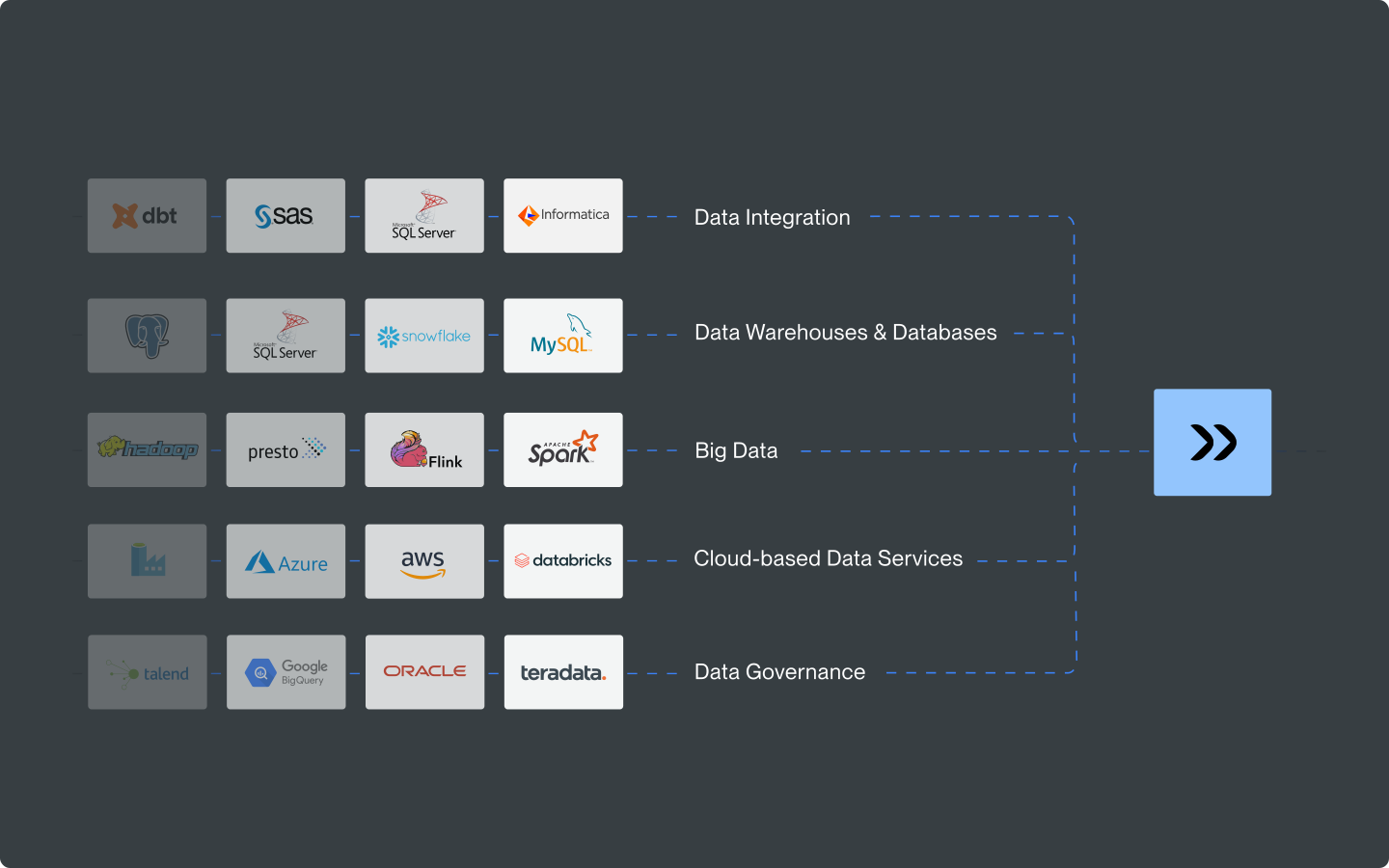
In practice, automation can be applied to nearly every stage of the pipeline. It’s not limited to just the obvious scheduling layer.
Ingestion
Automated ingestion pulls data from databases, APIs, file transfers, and applications on a schedule or in response to an event, removing the need to manually trigger extraction jobs each time a new source needs to be pulled.
Scheduled pulls from databases, ERPs, and SaaS APIs
Event-triggered ingestion (e.g., new file detected, webhook received)
Managed file transfer for secure, auditable data movement
Transformation
Once ingested, data needs cleaning, validation, and enrichment before it’s usable. Automation handles this through predefined rules rather than by running manual scripts on demand.
Schema validation and data quality checks
Automated retries and rollbacks on transformation failure
Enrichment and formatting rules are applied consistently across runs
Orchestration and Monitoring
This is where dependency management, error handling, and visibility come together.
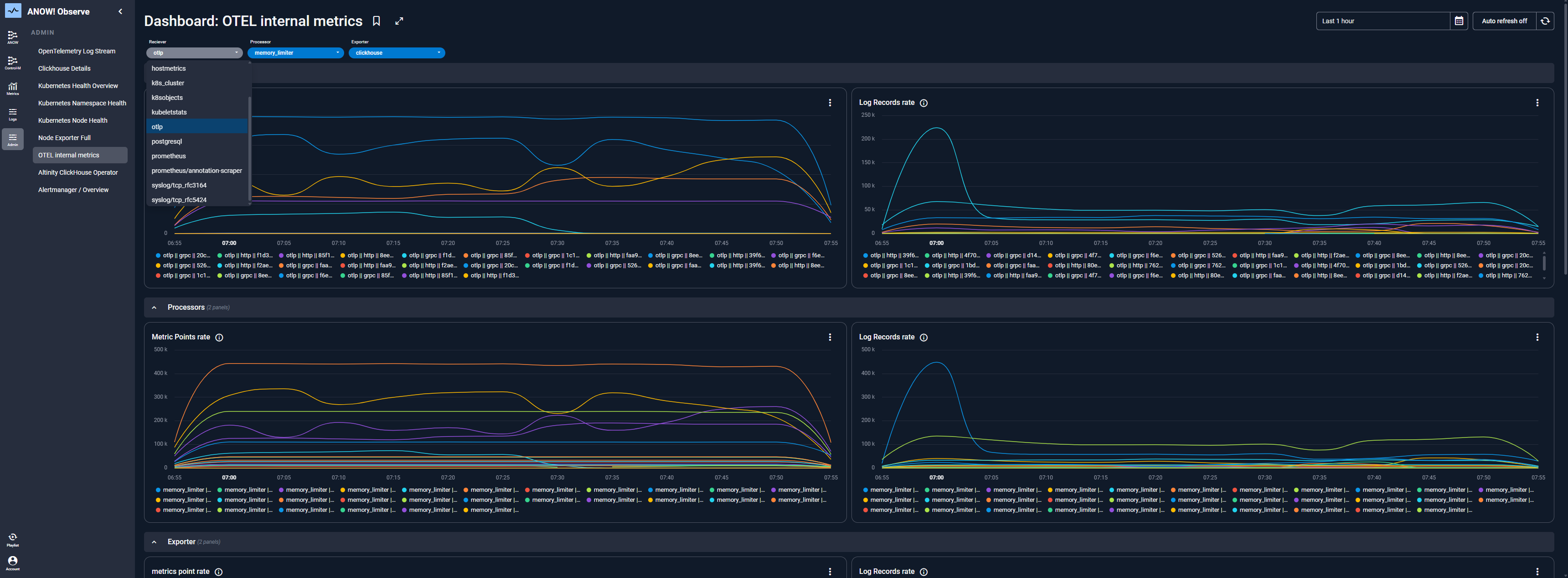
Strong observability, such as tracking job health, SLA risk, and anomalies in real time, is what separates a basic scheduler from a platform built for production-scale pipelines.
Our guides to log management and observability go deeper into this layer, including how OpenTelemetry-based monitoring is becoming standard.
How to Automate a Data Pipeline (Step-by-Step)
Implementing pipeline automation is a structured process, not a single switch to flip.
Step #1: Map Dependencies and Define Workflows
Before automating anything, document every source, transformation, and destination involved, along with the order in which they need to run. This dependency map becomes the blueprint your automation platform executes against, and it's the single most common place teams discover hidden manual steps they'd otherwise have missed.
Inventory every data source, intermediate system, and final destination in the pipeline
Identify which jobs depend on each other and which can safely run in parallel
Flag manual touchpoints (a person kicking off a job, checking a file, re-running a failed step) that need a trigger to replace them
Step #2: Choose a Platform That Matches Your Environment
A team running a handful of cloud-native pipelines has different needs than an enterprise bridging mainframe, SAP, and multi-cloud systems.
Match the platform to your actual environment rather than the simplest available tool. Check out our breakdown of enterprise automation for what it typically requires at scale.
Check native connector coverage for your specific stack (Snowflake, SAP, Databricks, legacy schedulers) versus what you'd need to build yourself
Confirm the deployment model (SaaS, self-hosted, or hybrid) fits your data sovereignty and compliance requirements
Weigh the total cost of ownership, not just the license price, including the engineering time needed to maintain custom integrations long-term
Step #3: Build in Observability and Error Handling
Define what happens when a job fails before it fails: retry logic, alerting thresholds, and escalation paths. Treating this as an afterthought is one of the most common reasons automated pipelines still require manual firefighting months after go-live.
Platforms like ANOW! Automate pair this with ANOW! Observe in real time across the full pipeline.
Set SLA thresholds tied to business impact (e.g., a delayed finance report vs. a delayed internal dashboard) rather than uniform timing rules
Decide in advance what triggers an automatic retry versus a rollback and human escalation
Make sure logs, metrics, and traces are captured consistently across every stage, not just the scheduling layer, so root-cause analysis doesn't require digging through multiple systems
Step #4: Test in a Non-Production Environment
Before cutting over, run the automated workflow against historical data and compare its output to what the manual or legacy process produced. This step catches edge cases that don’t show up until a pipeline encounters real-world conditions: weekend schedules, month-end volume spikes, daylight saving time shifts, or a source system that occasionally sends malformed data.
Run the automated and legacy processes in parallel for a defined period and reconcile the outputs
Intentionally test failure scenarios (a missing file, a late source, a malformed record) to confirm retry and alerting logic behaves as expected
Get sign-off from the teams who consume the pipeline's output before treating it as production-ready
Step #5: Migrate and Scale Iteratively
Move workloads in phases rather than all at once, validating each batch before continuing. Starting with lower-risk pipelines builds confidence and surfaces issues before they touch business-critical workflows.
Migrate lower-risk, non-critical pipelines first to validate the approach before touching mission-critical workflows
Expand to additional teams or business units once the initial pipelines have run reliably for a full business cycle
Revisit dependency maps periodically; pipelines that were independent at launch often develop new dependencies as the business grows
Read more: Our guide to migrating without regret and the ANOW! migration path outlines how to do this with minimal disruption.
3 Best Data Pipeline Automation Tools
The right tool depends on whether you need dedicated data-engineering orchestration or a single platform that spans data pipelines, SAP, and hybrid IT workloads.
Below are the top three platforms enterprise teams commonly evaluate.
1. Beta Systems’ ANOW! Suite
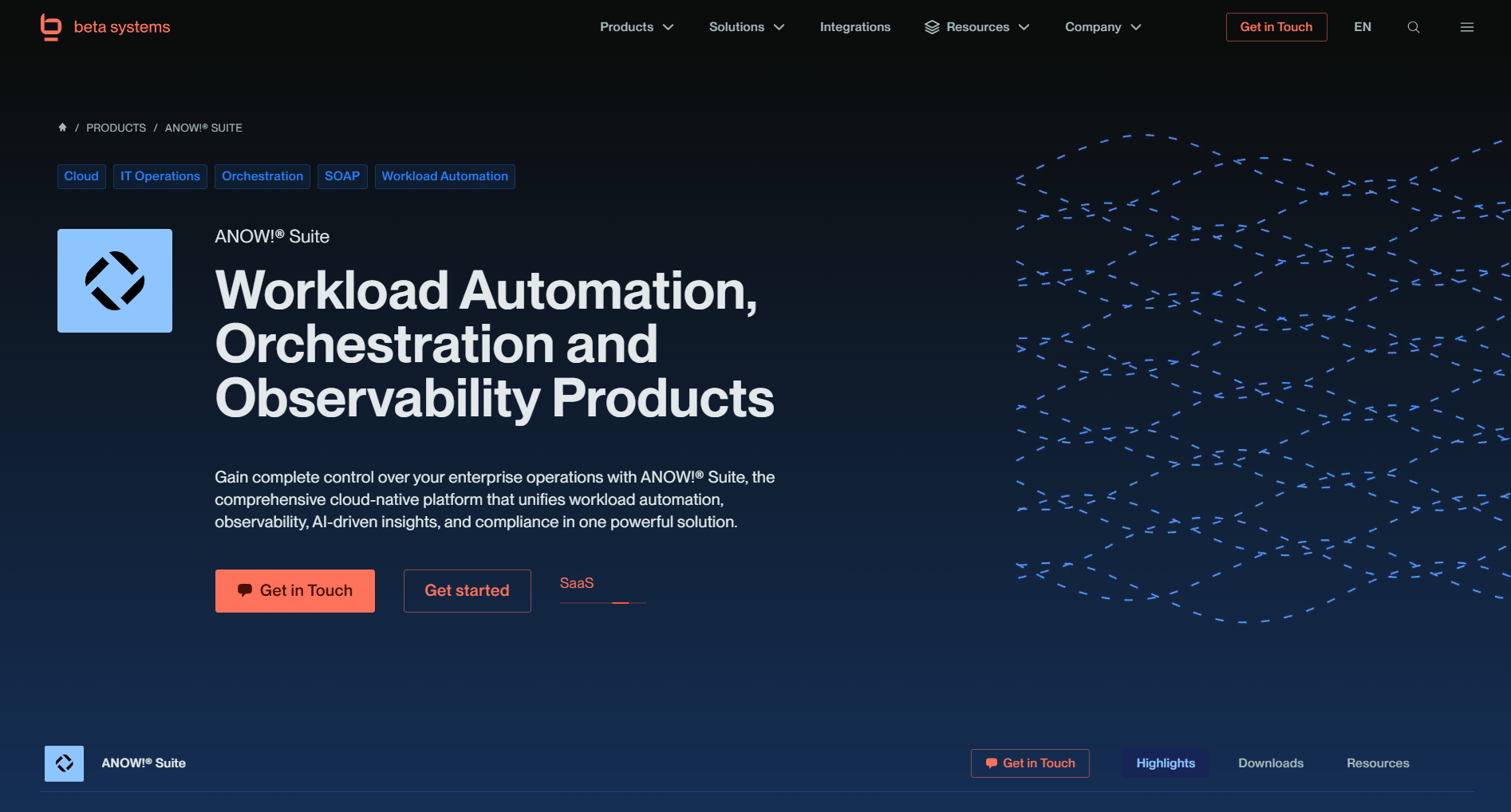
ANOW! Suite is a cloud-native platform unifying workload automation, data pipeline orchestration, and observability in one system. It connects to modern data stacks like Snowflake and Databricks, as well as mainframe and ERP systems, through 600+ native integrations, and pairs execution with built-in observability and an AI-powered PII filter for compliance.
Best for: Enterprises that need data pipeline orchestration alongside broader hybrid IT and SAP automation, particularly in regulated, Europe-based environments.
2. BMC Control-M
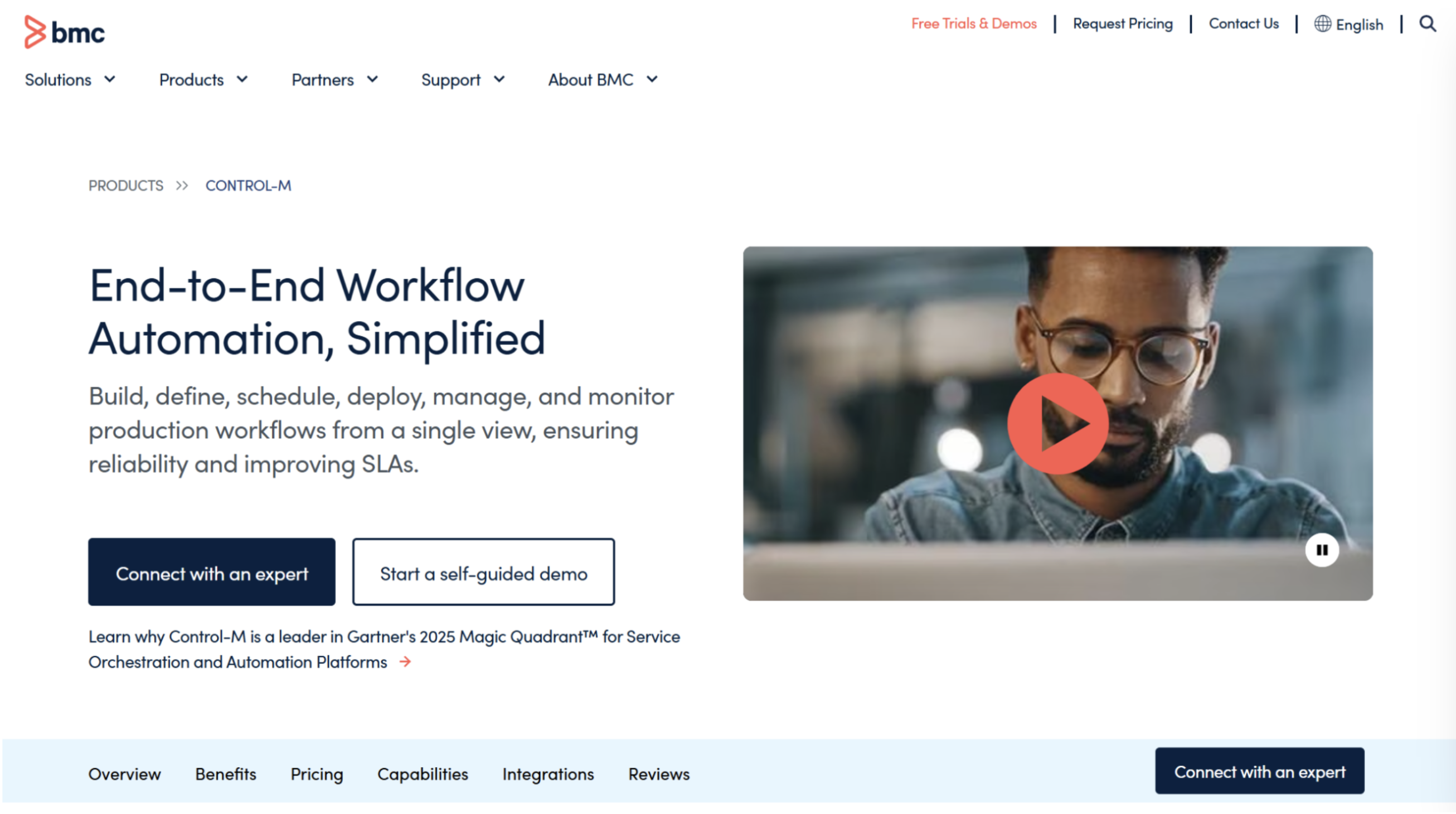
Control-M is a long-established workload automation platform that extends into mainframe, multicloud, and AI/ML/DataOps pipeline orchestration, with a built-in GenAI advisor for troubleshooting. Gartner notes its total cost of ownership runs relatively high compared with other platforms, reflecting its enterprise-grade positioning.
Best for: Large enterprises already standardized on Control-M for mainframe-adjacent workloads, though teams should weigh licensing and administrator overhead against more modern alternatives.
If those trade-offs are a concern, Control-M alternatives are worth considering.
3. Apache Airflow
 Airflow is the default reference point for data engineers building pipelines as Python-defined DAGs, and its community and plugin ecosystem are unmatched for custom, code-first orchestration. That flexibility comes at a cost: Airflow has no built-in enterprise SLAs, limited native hybrid-cloud orchestration, and requires dedicated engineering resources to maintain at scale.
Best for: Data engineering teams comfortable owning ongoing maintenance in exchange for full code-level control. Teams that have outgrown that maintenance burden often evaluate enterprise alternatives to Airflow.
Build vs. Buy: Should You Automate Pipelines Yourself?
Some engineering teams build pipeline automation in-house using open-source frameworks and custom scripts; others adopt an existing platform. Neither is universally right.
The decision comes down to engineering capacity, scale, and the amount of ongoing maintenance your team can absorb.
Build In-House | Buy a Platform | |
|---|---|---|
Upfront cost | Lower licensing cost, higher engineering time investment | Licensing cost, lower implementation time |
Maintenance | Ongoing burden falls on internal engineering | Vendor maintains the platform and updates it |
Time to deploy | Slower — custom code must be built and tested | Faster — pre-built connectors and templates |
Scalability | Requires re-architecture as volume grows | Built for scale, typically including SLAs |
Compliance/observability | Must be custom-built | Often included natively |
Teams with deep, dedicated data engineering resources and highly specific requirements may find building defensible.
Most enterprises managing pipelines alongside broader IT workloads find that maintenance overhead outweighs the control gained, a tradeoff explored further in our webinar on orchestrating across data ecosystems.
Take Control of Your Automation Strategy Now with Beta Systems
Whether you’re modernizing a legacy scheduler or consolidating point tools, the right platform should orchestrate data pipelines without forcing you to manage them separately from the rest of your IT estate.
ANOW! Suite brings workload automation, data pipeline orchestration, and observability together into a single cloud-native platform. With ANOW! Automate specifically, you're future-proofing your data strategy, with seamless integrations, intelligent error handling, and reporting dashboards built to deliver you trusted, actionable insights faster.
Talk to our team about your current setup, or learn more about Beta Systems and our four decades of enterprise automation experience.
Automate Your Data Pipelines with a Single Platform
From ingestion and transformation to orchestration and monitoring, ANOW! Automate helps teams manage the entire data pipeline lifecycle from one centralized platform.
Explore how ANOW! simplifies enterprise data operations.
:quality(50))
:quality(50))
:quality(50))